
Tutora Case Study
A complete end-to-end UX/UI design for a tutoring platform — from user research and competitive analysis to a scalable design system and interactive Figma prototypes. Completed as part of the Google UX Design Professional Certificate on Coursera.
Role
UX/UI Designer & Design Lead
Project Type
Web & Mobile App
Tool
Figma, Miro, Adobe
Duration
8 Months
The Problem
Parents struggle to find qualified tutors that match their children's learning needs. Existing platforms are fragmented, difficult to navigate, and lack transparency about tutor qualifications. Tutors face friction in managing their profiles, availability, and bookings across multiple platforms.
The Solution
Tutora is a unified platform that makes it easy for parents to discover, evaluate, and book qualified tutors. Advanced search and filtering help parents find the right match, while an integrated calendar and messaging system simplify scheduling and communication for both parents and tutors.
02 — Design Process
Six phases, one learner-centered product.
Following Google's Design Thinking framework from research through iteration.
User Research
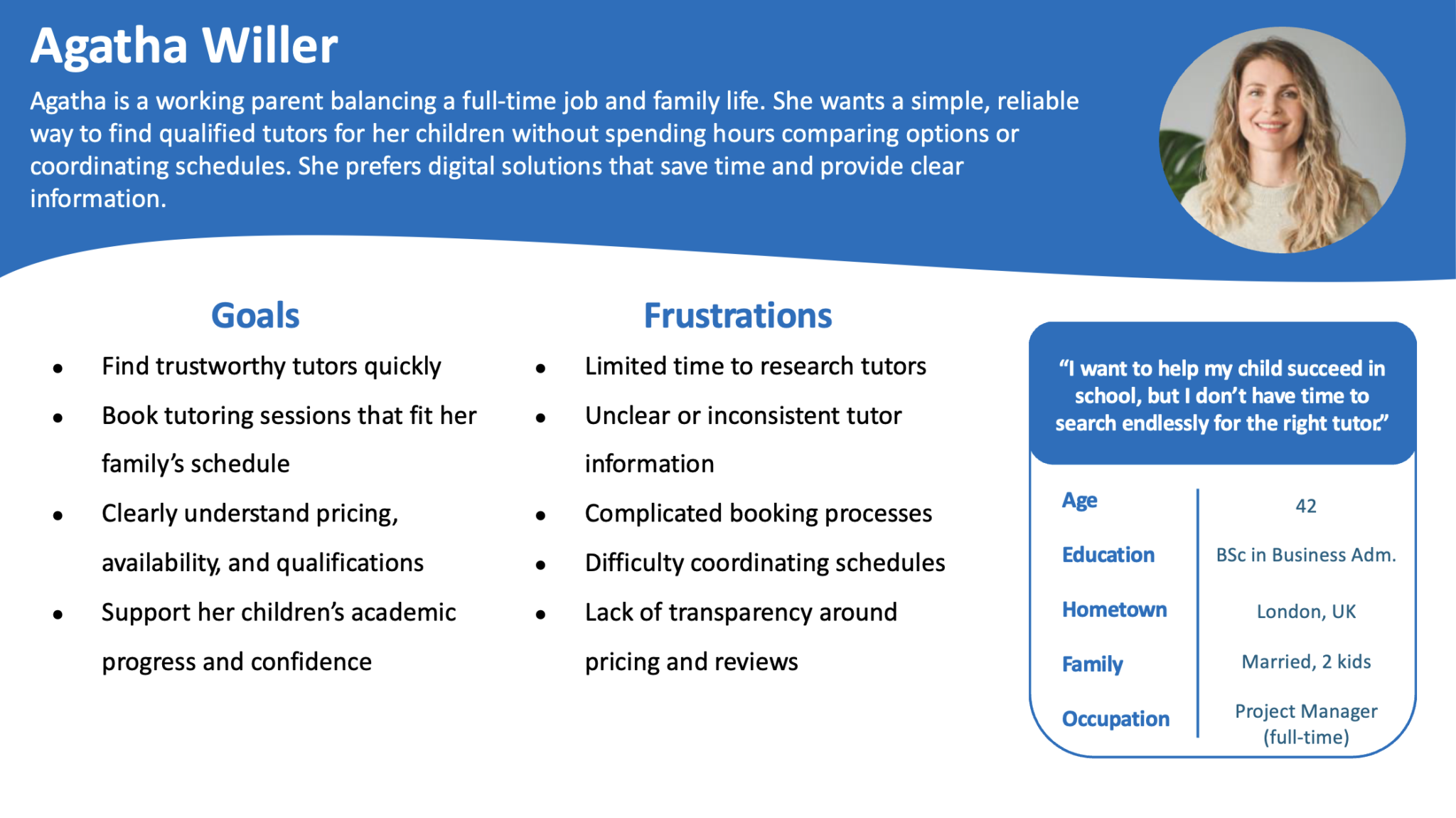
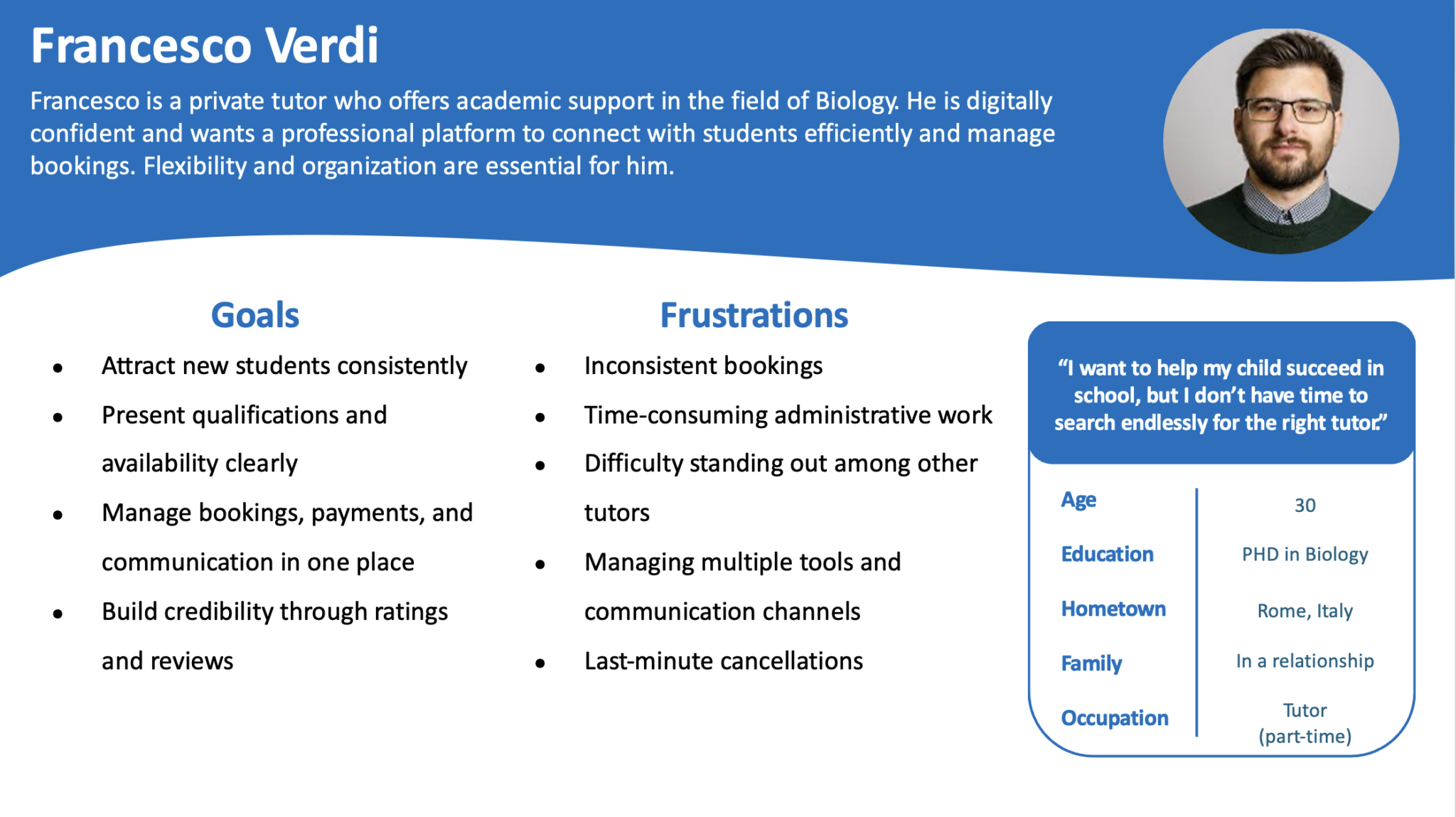
Conducted user research to identify common pain points target users encounter when searching for tutors online. Identified primary user groups: parents seeking tutors and tutors offering services. Developed two personas representing each group with their unique needs and frustrations.
Define
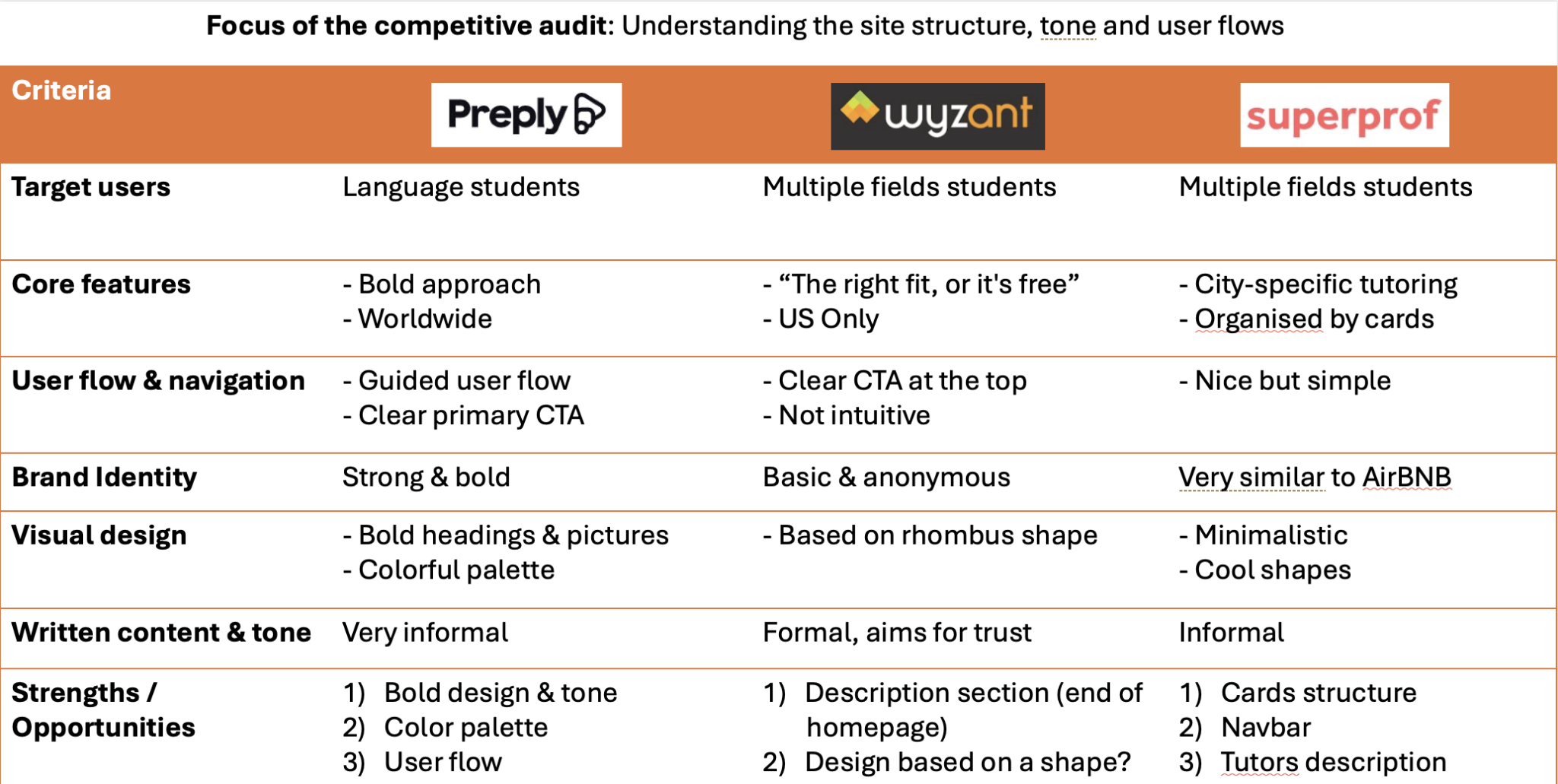
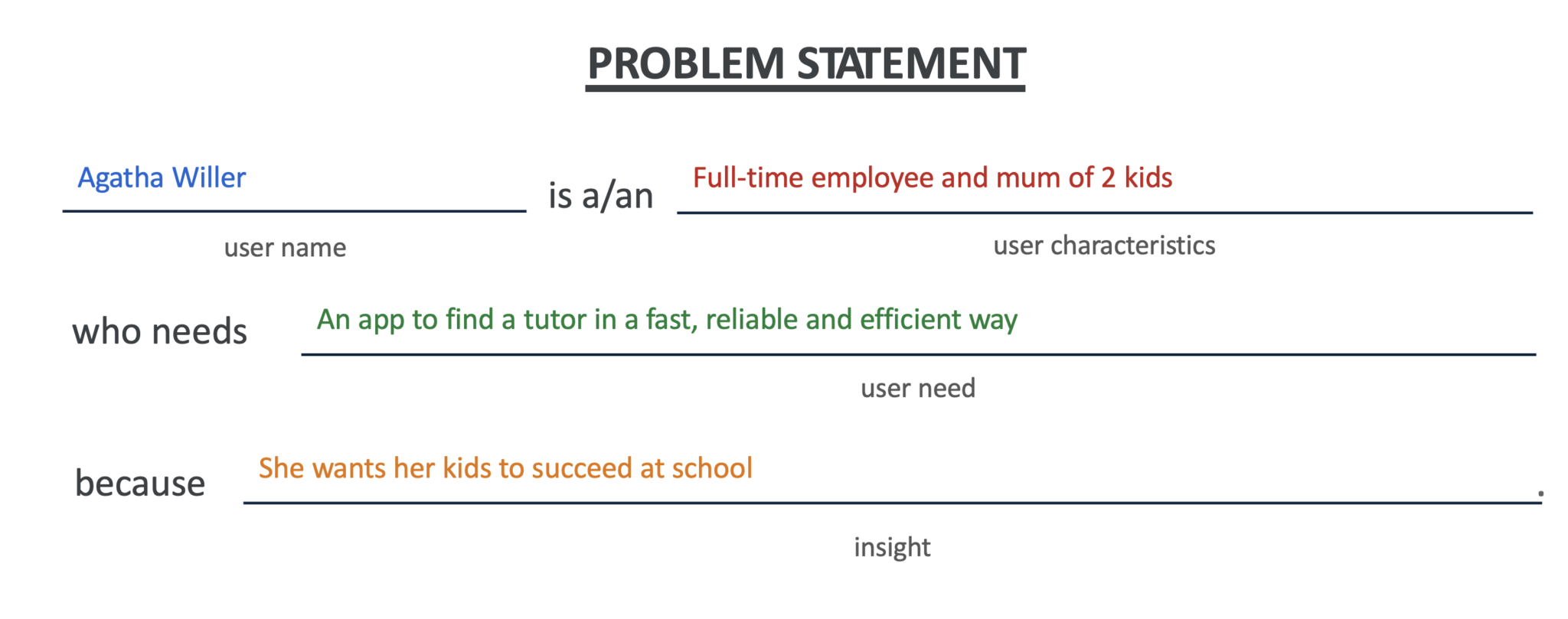
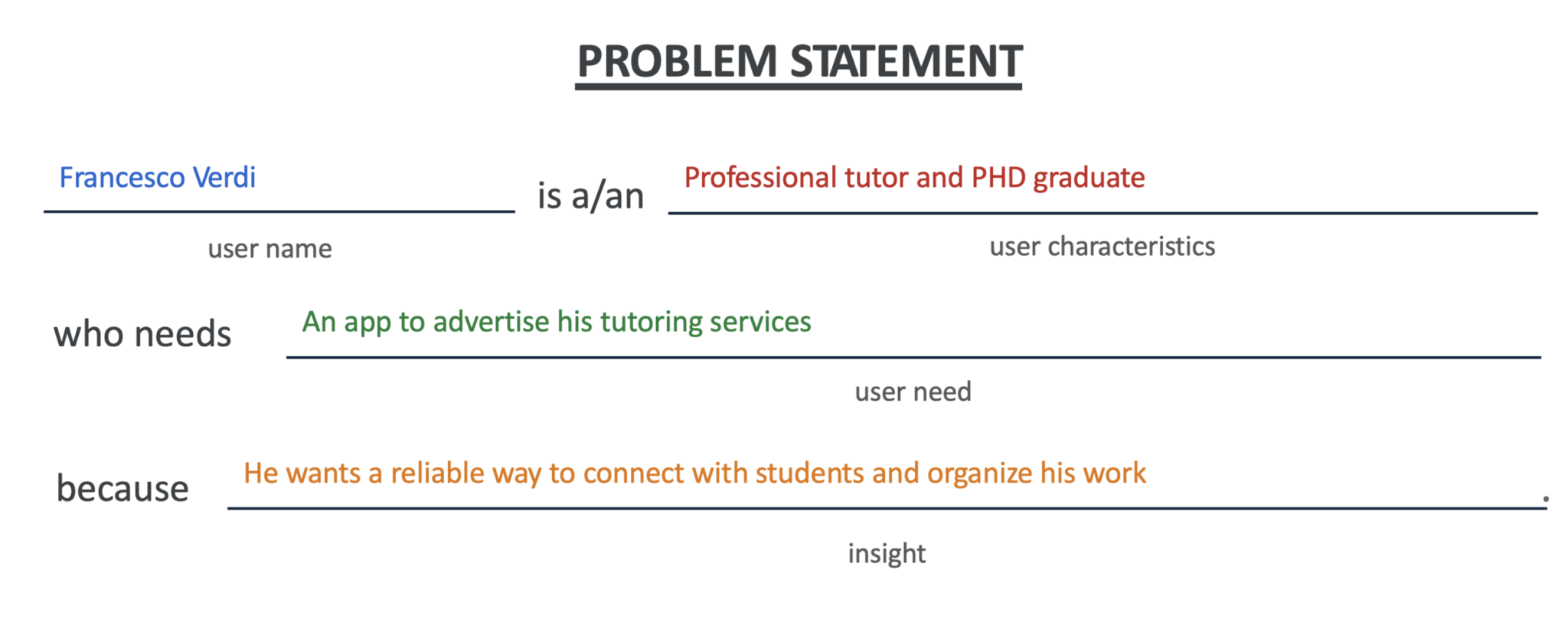
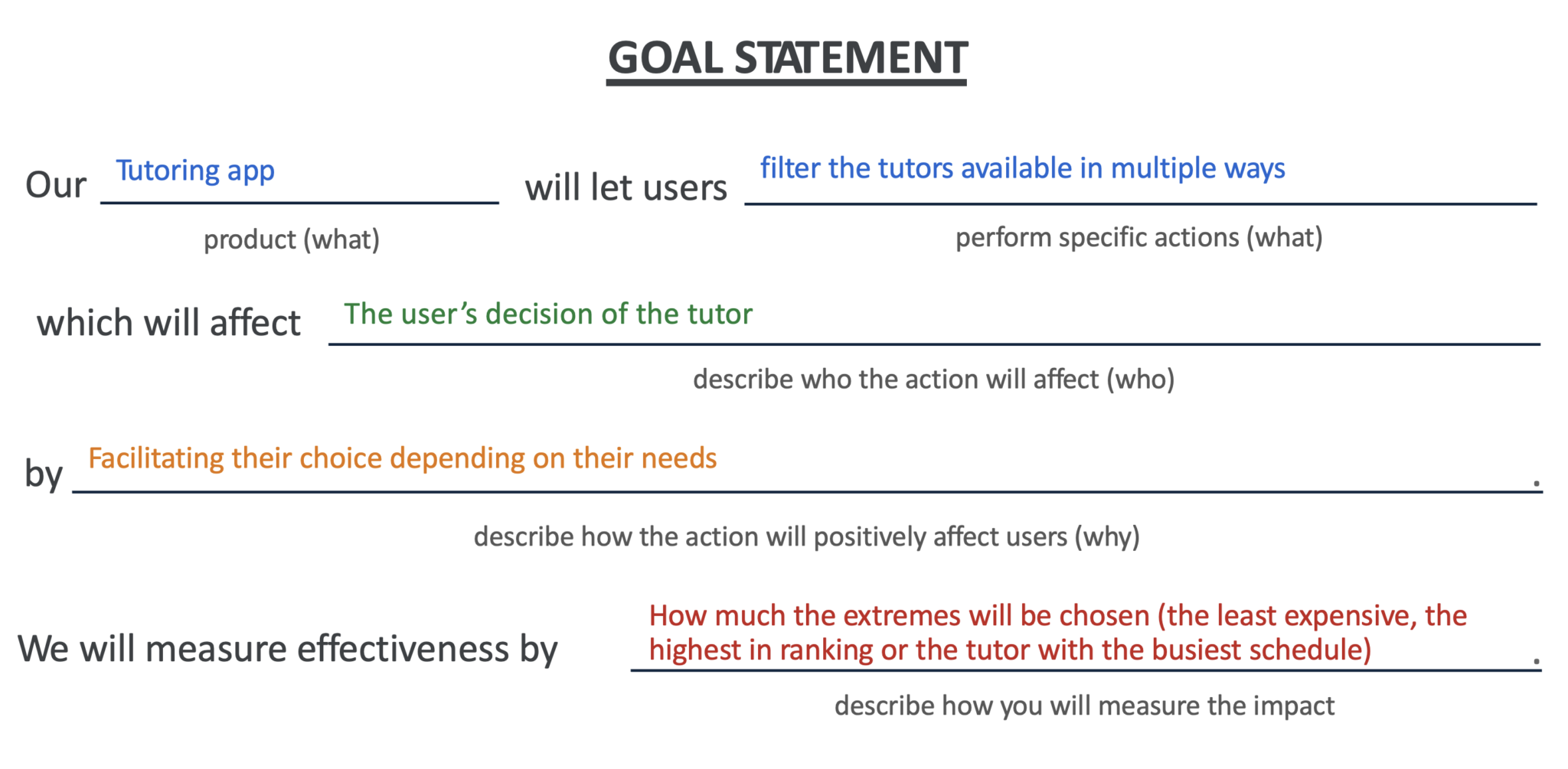
Created personas (Parent, Tutor), user stories, and user flows to understand user motivations and frustrations. Defined problem statements for each persona and a goal statement for the product. Conducted competitive analysis of platforms like Preply, Wyzant, and Superprof.
Ideate
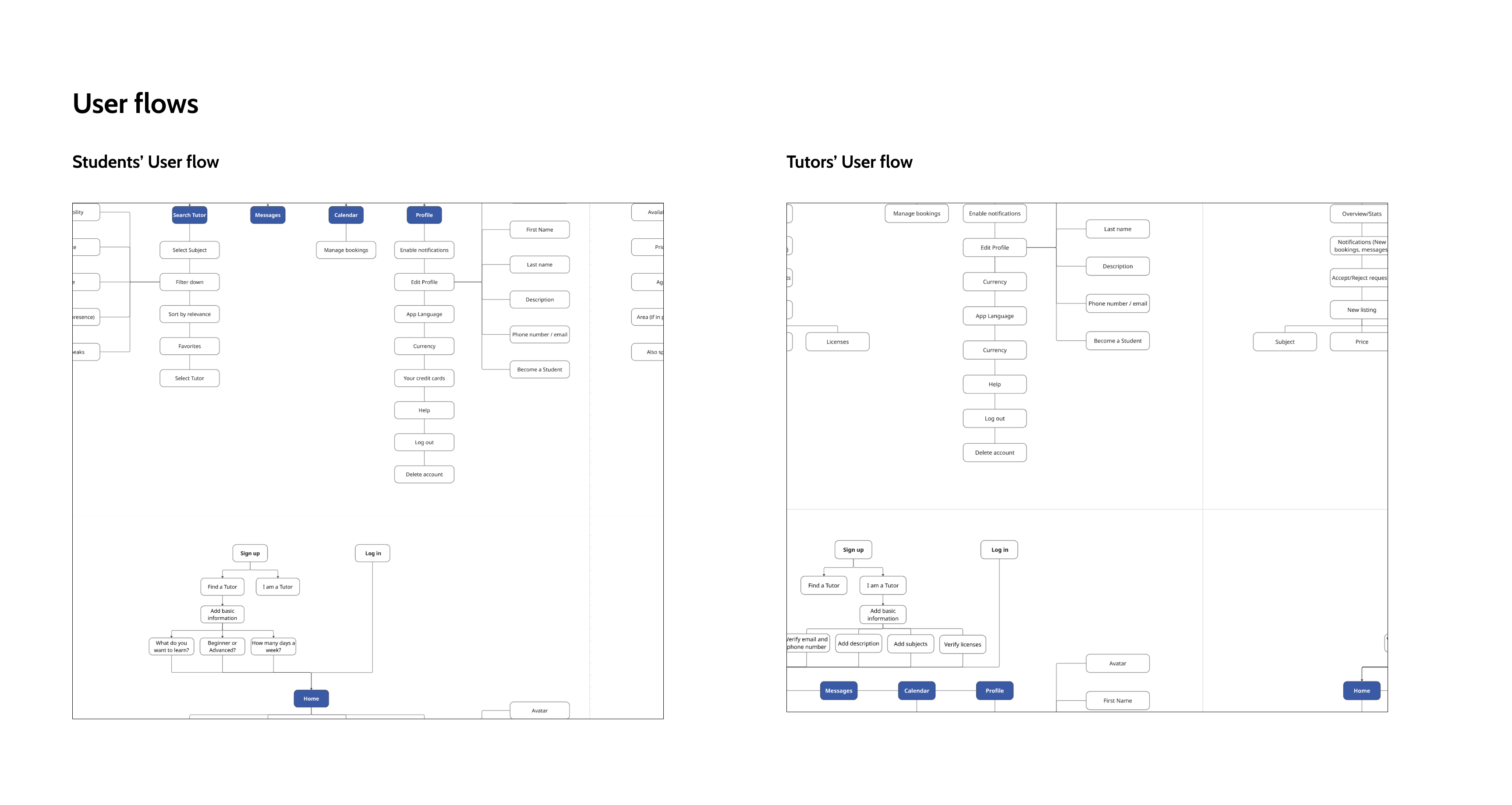
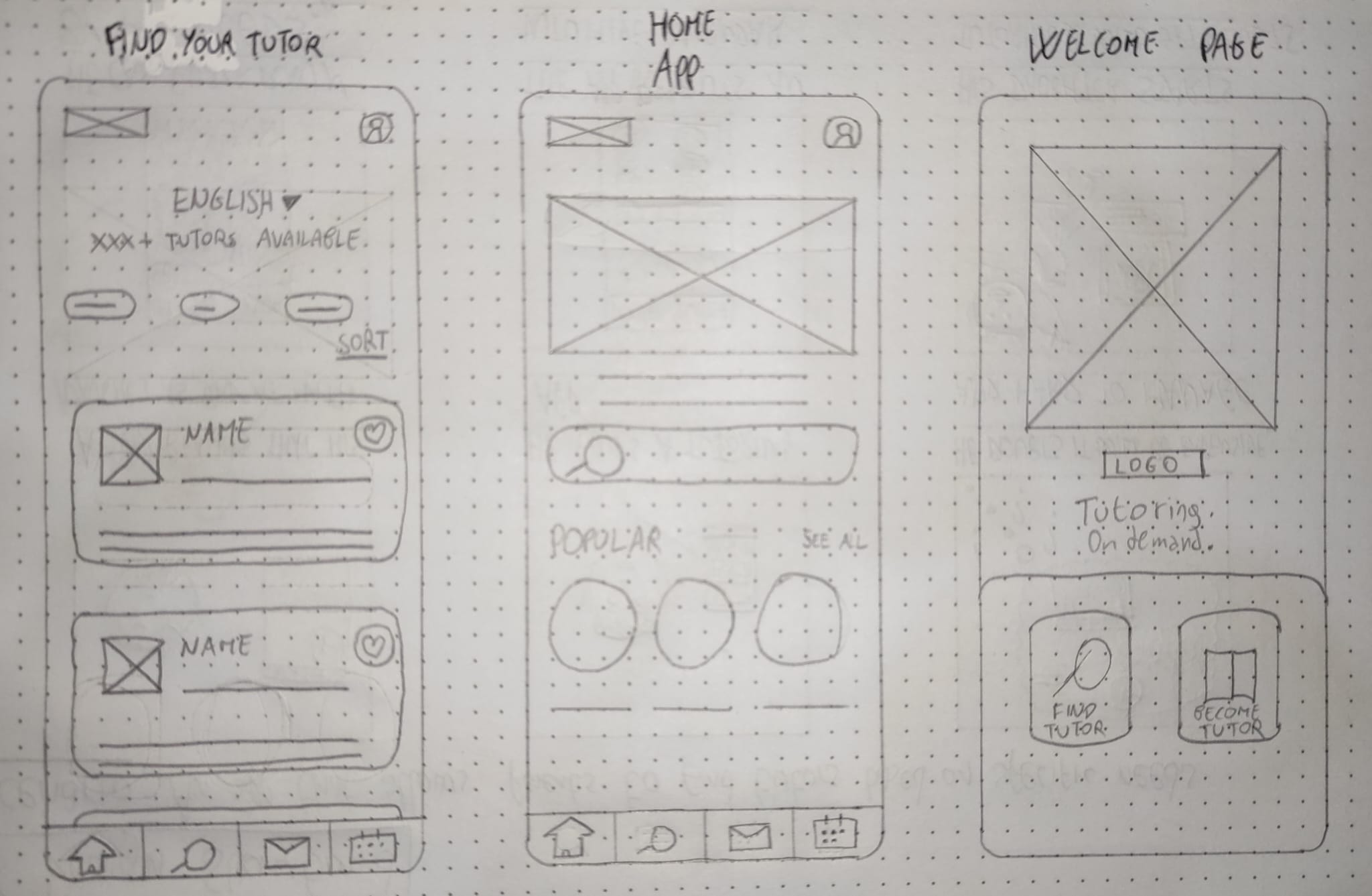
Mapped out user flows for parents and tutors on Miro, covering the complete journey from registration to session booking. Created paper wireframes to visualize layout structures and experiment with different navigation patterns and solutions.
Design System
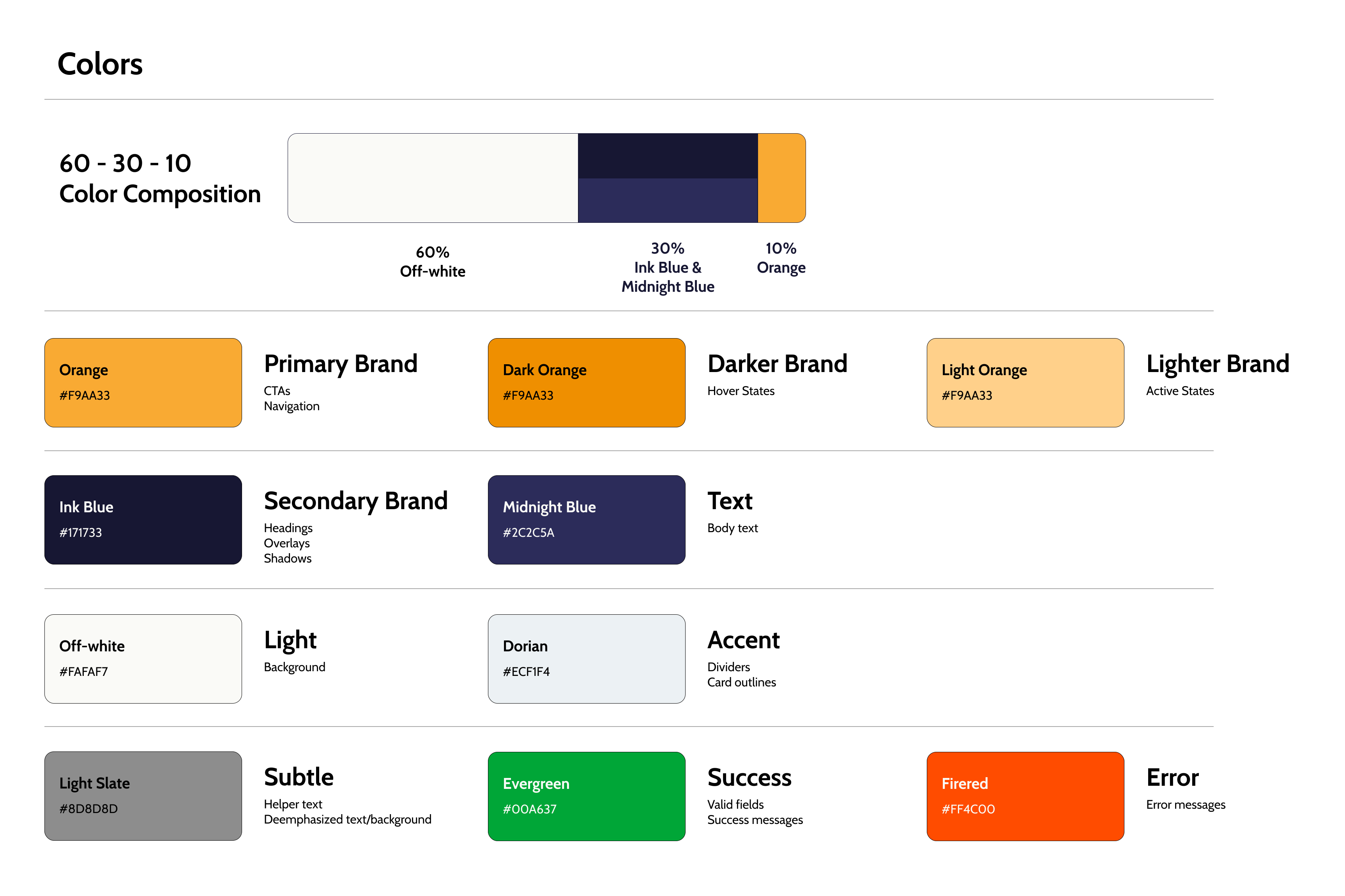
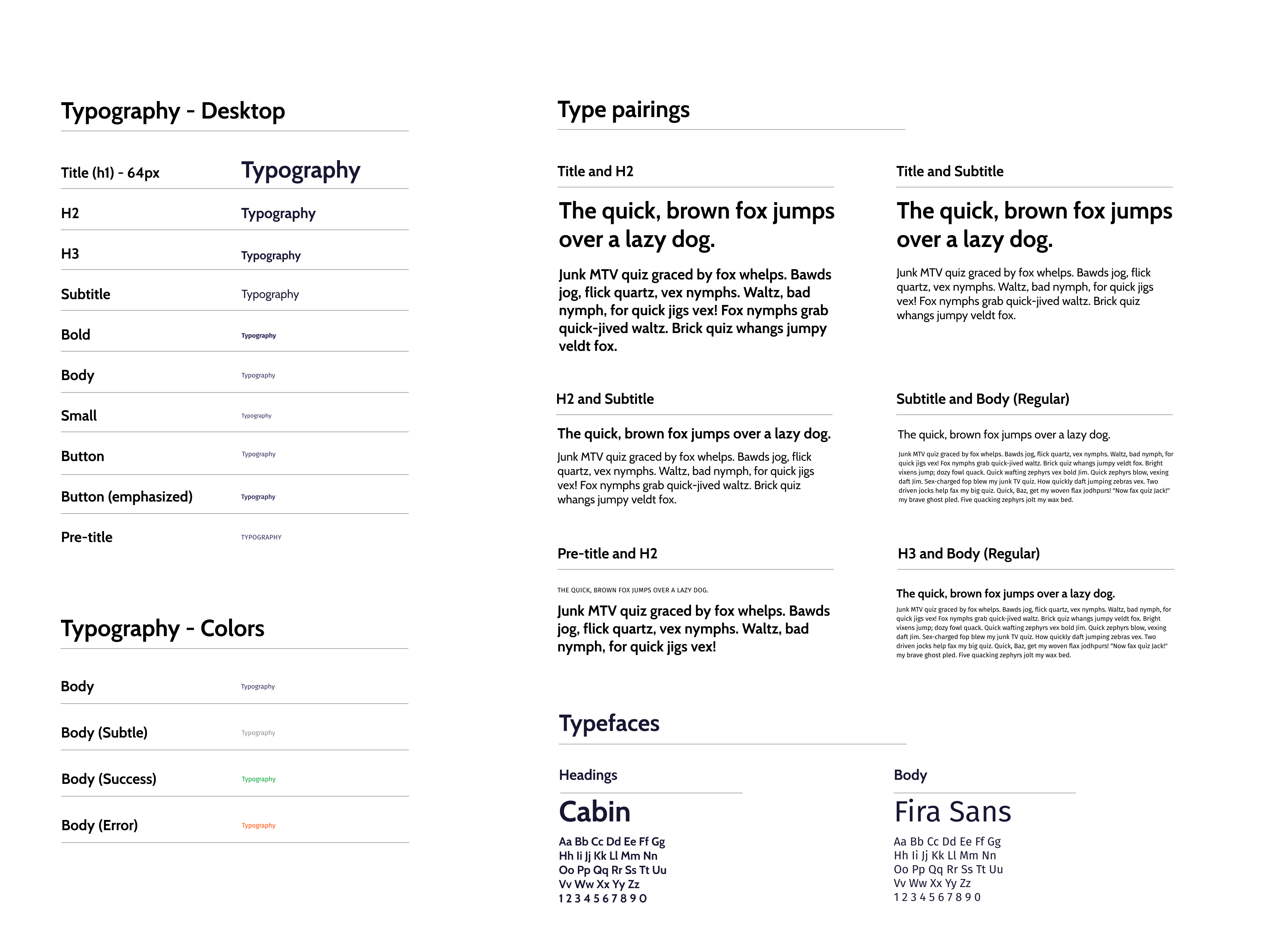
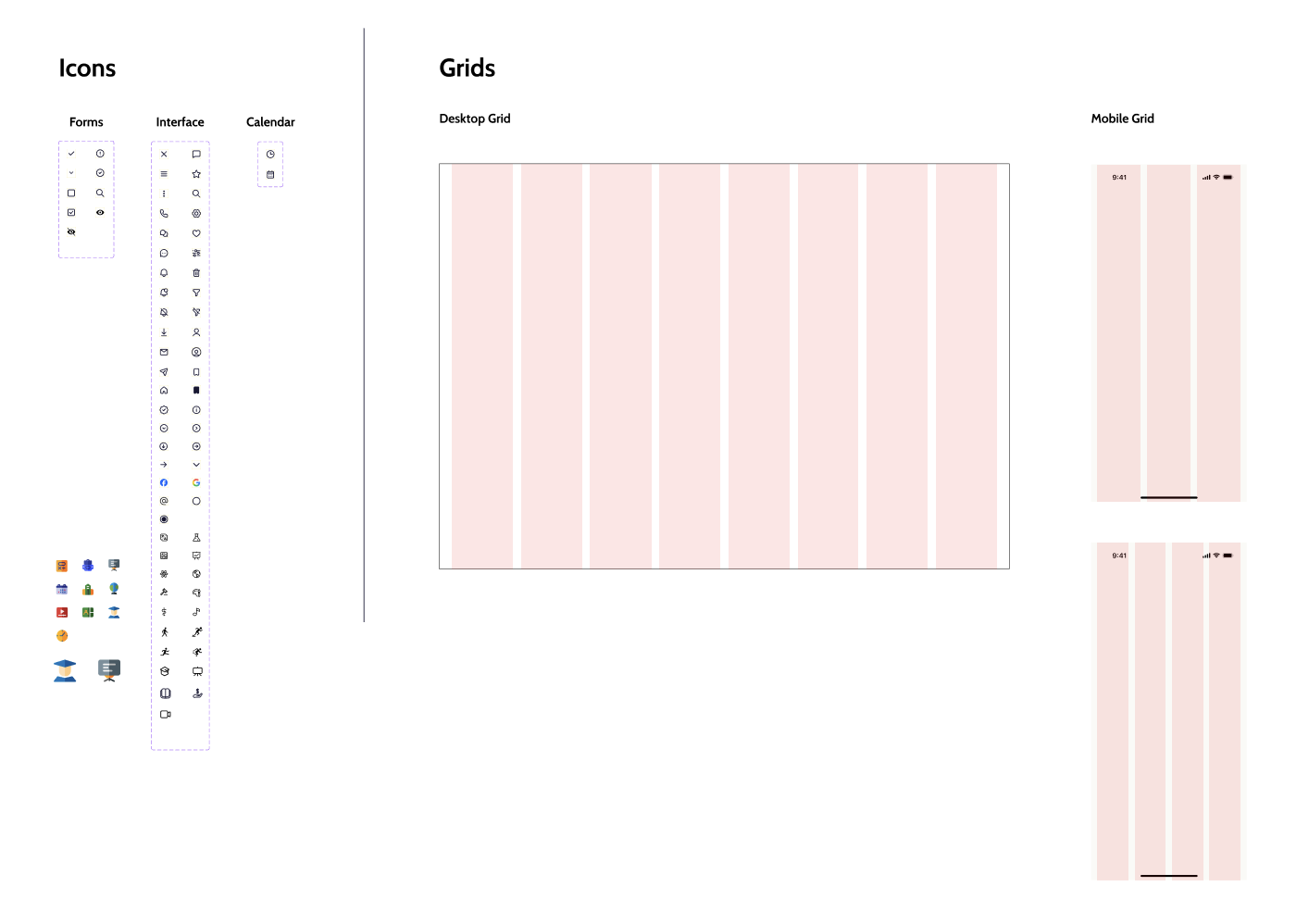
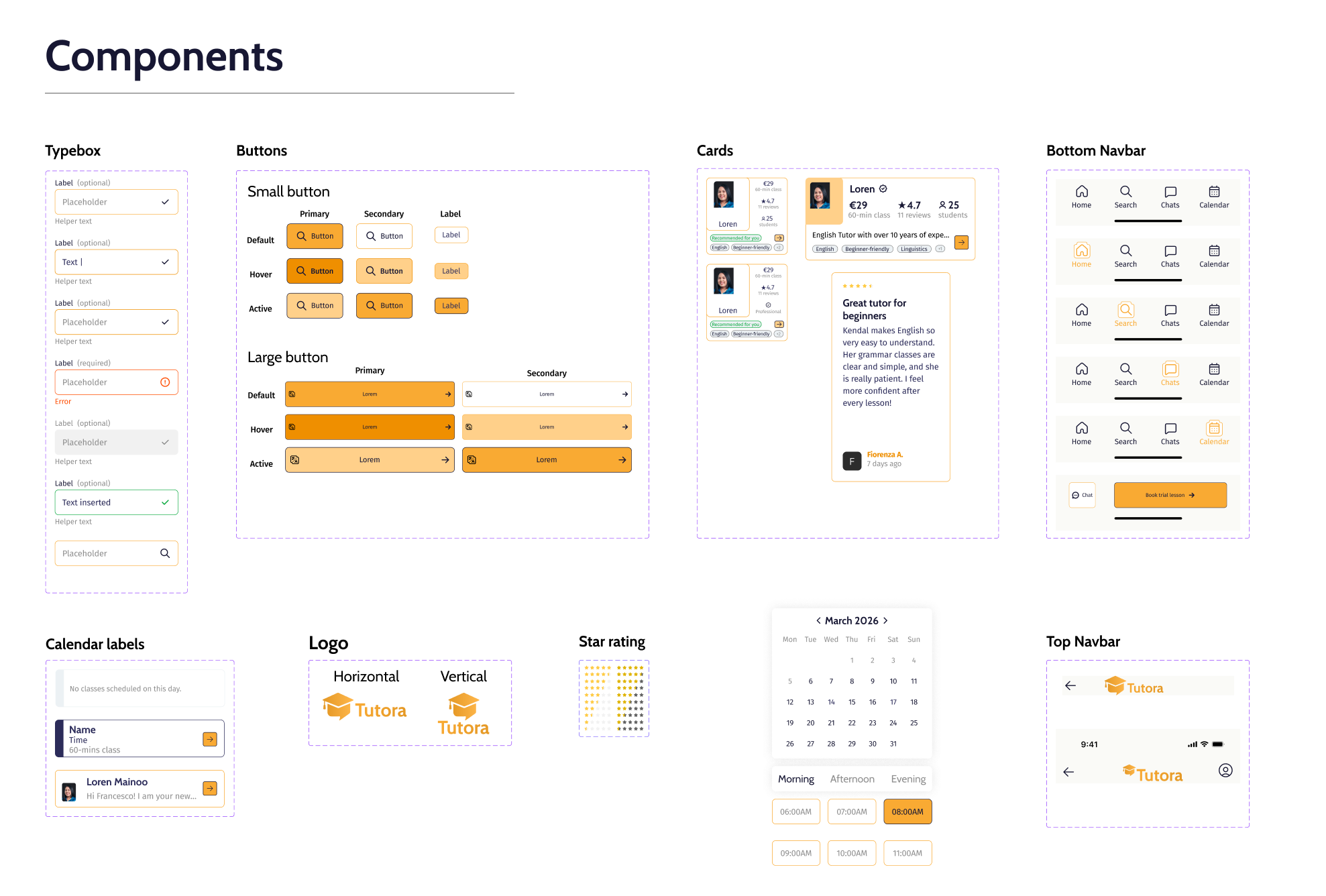
Developed a scalable Design System in Figma, defining core visual elements, typography hierarchy, color palette (using 60-30-10 rule), icons, grids, and reusable components for consistency and efficiency across all screens.
High-Fidelity Prototypes
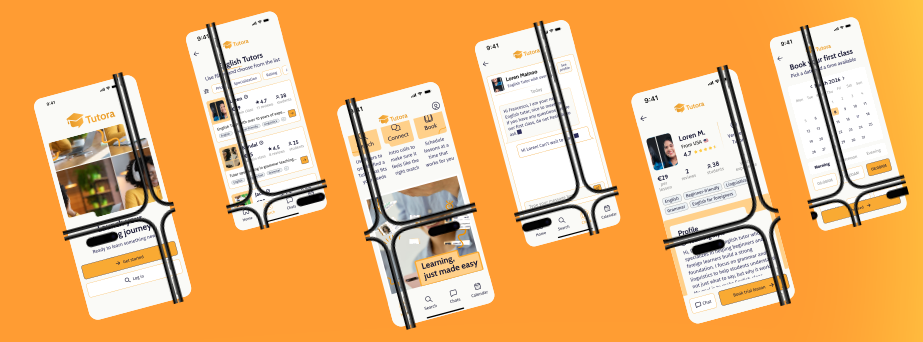
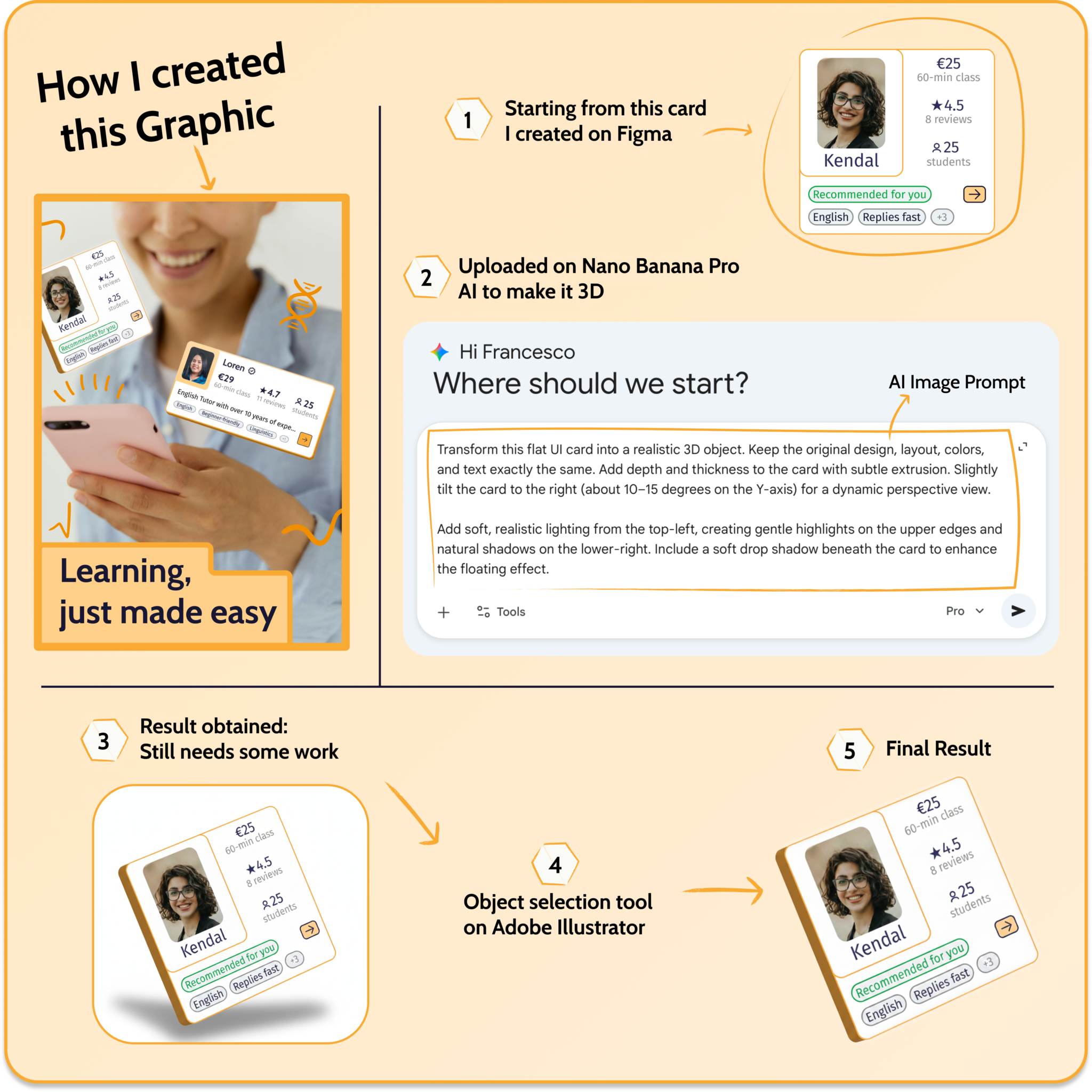
Created digital mockups and interactive prototypes for onboarding, booking flows, search, calendar, and settings screens. Incorporated AI-generated 3D objects refined in Adobe Illustrator to enhance visual appeal and match design aesthetics.
Testing & Iteration
Integrated accessibility throughout the design process and conducted iterative testing with users to refine the experience. Refined the interface based on feedback with a strong focus on accessibility (WCAG guidelines) and usability.
02 — User Research
Understanding the user.
Deep research through interviews, competitive analysis, and persona development to uncover what parents and tutors really need.
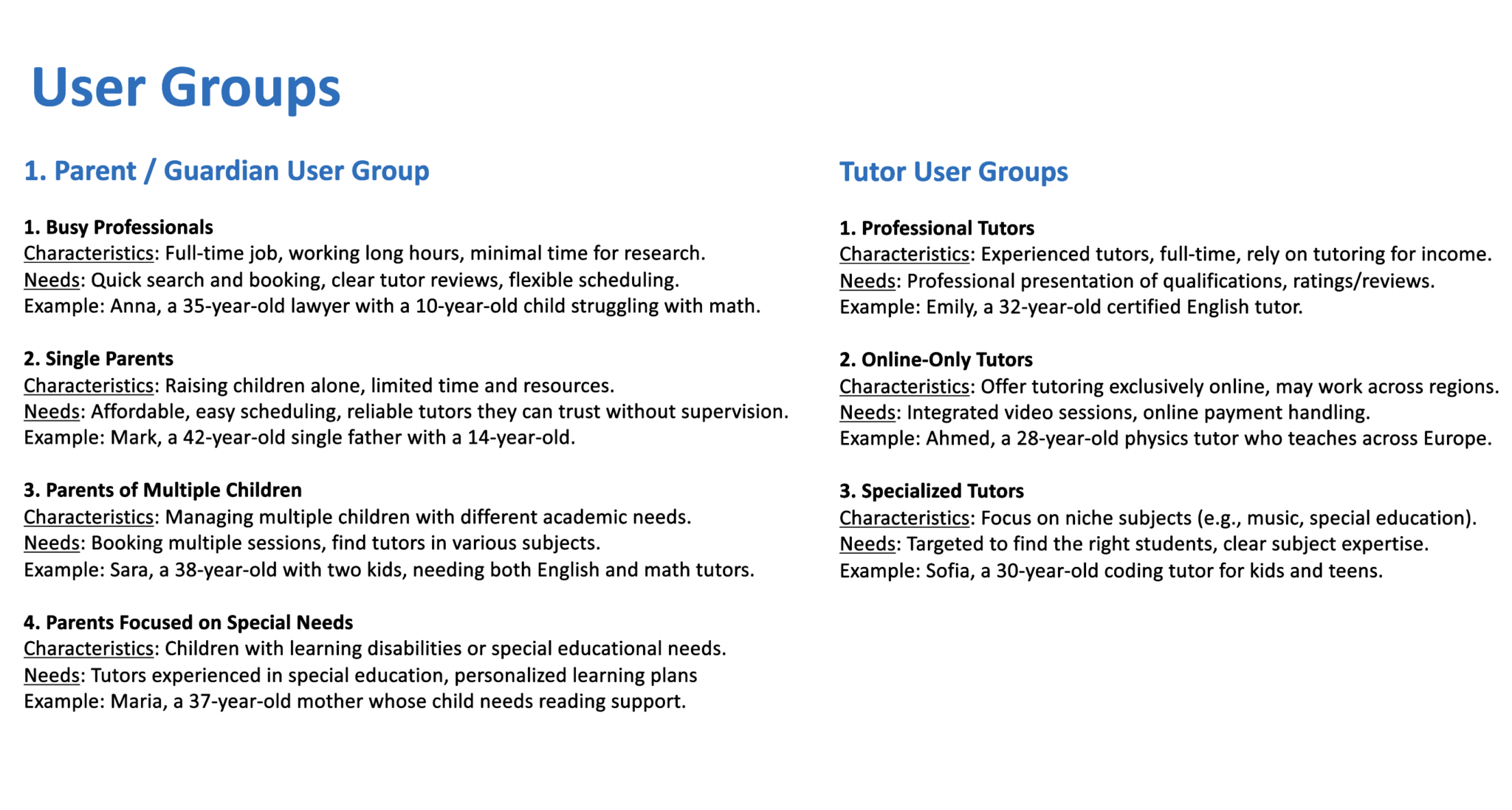
User Groups
Competitive Analysis
Personas
Problem & Goal Statements
Goal Statement
User Flows
03 — Wireframes
From sketch to structure.
Paper wireframes helped explore layout structures and navigation patterns quickly. This low-fidelity approach allowed us to test ideas and get feedback before investing time in high-fidelity design.
04 — Design System
Consistent, scalable, accessible.
Built a complete design system in Figma using the 60-30-10 color rule, a clear typography hierarchy, and reusable components for buttons, cards, navigation, and form inputs.
Colors
Typography
Icons & Grids
Components
AI Image Creation
To enhance the visual appeal of the interface, I used Nano Banana Pro AI to generate 3D objects aligned with the app's aesthetic. These assets were then refined in Adobe Illustrator to ensure they matched the overall design system.
05 — High-Fidelity Screens
Six core screens, designed for clarity.
Every screen was designed with the bright blue (#4A90E2) brand identity, consistent component library, and WCAG accessibility guidelines in mind. Each screen serves a specific purpose in the parent or tutor journey.
Onboarding
Clear and readable type system to establish hierarchy and improve content accessibility.
Search Tutors
Search functionality with filters for subject, availability, and price.
Tutor Profile
Detailed tutor information, qualifications, reviews, and availability.
Booking Flow
Intuitive calendar and time-slot selection for booking a session.
Parent Dashboard
Manage bookings, communication, and view child's progress.
Tutor Dashboard
Manage profile, availability, bookings, and communication.
06 — Key Design Decisions
Why it works.
Dual-user interface
Separate interfaces for parents and tutors, each optimized for their specific workflow and needs — parents focus on discovery and booking, tutors on availability and management.
Smart search & filters
Advanced filtering by subject, availability, price, and tutor ratings reduces cognitive load and helps parents find the right tutor quickly.
Integrated calendar
Built-in calendar system simplifies the booking process and eliminates the need to coordinate availability across platforms.
Bright blue identity
#4A90E2 conveys trust and accessibility — critical for a platform where parents entrust educators with their children's learning.
Progress tracking
Parents can view session history and progress notes, creating transparency and building confidence in the tutoring relationship.
Accessibility first
Consistent focus on WCAG guidelines, readable typography, clear color contrast, and intuitive navigation ensure the platform is usable for everyone.
07 — Key Takeaways
What this project taught me.
User research is essential for uncovering real needs and challenging initial assumptions. Direct parent and tutor feedback revealed pain points we hadn't anticipated.
Iterative design and usability testing significantly improve the overall user experience. Early wireframe testing caught navigation issues before high-fidelity design.
A well-defined design system supports both consistency and scalability. Establishing tokens and components upfront made iterating on screens fast and efficient.
Accessibility should be considered from the earliest stages of the design process. Designing for accessibility from the start enriched the experience for everyone.
Moving from low-fidelity to high-fidelity designs helps refine ideas efficiently. The progression from paper to digital prototypes revealed what really worked.
View Prototype