
Ungdomskort
A complete UX/UI redesign of Ungdomskort — the Danish student transit pass used daily on buses, trains and the metro. The project spans a native mobile app and a responsive web app, both built around clarity, multilingual access and strict WCAG compliance.
Role
UX/UI Designer
Project Type
App & Web Redesign
Tool
Figma · Maze
Duration
10 Weeks
The Problem
Students relied daily on a service whose website broke on mobile, whose payment flow was confusing, and whose interface existed only in Danish — despite a large international student base. Critical actions like renewing a period or paying for a trip created friction at every step, and the product fell short of WCAG accessibility standards.
The Solution
A unified app + web redesign sharing one design system. A native-feeling mobile app handles everyday actions — QR ticket, trip search, notifications — while the web app handles setup-heavy tasks like period management and personal data. Multilingual from the ground up, accessible by default.
01 — Design Process
Five phases, one coherent product.
From an early pivot to a fully tested prototype — driven by user research and validated with real students.
Discover
The project began with a different idea entirely — a yearly flight-ticket subscription. After stakeholder feedback exposed unworkable industry constraints, we pivoted to a problem we lived daily as international students in Denmark: the Ungdomskort service.
Empathize
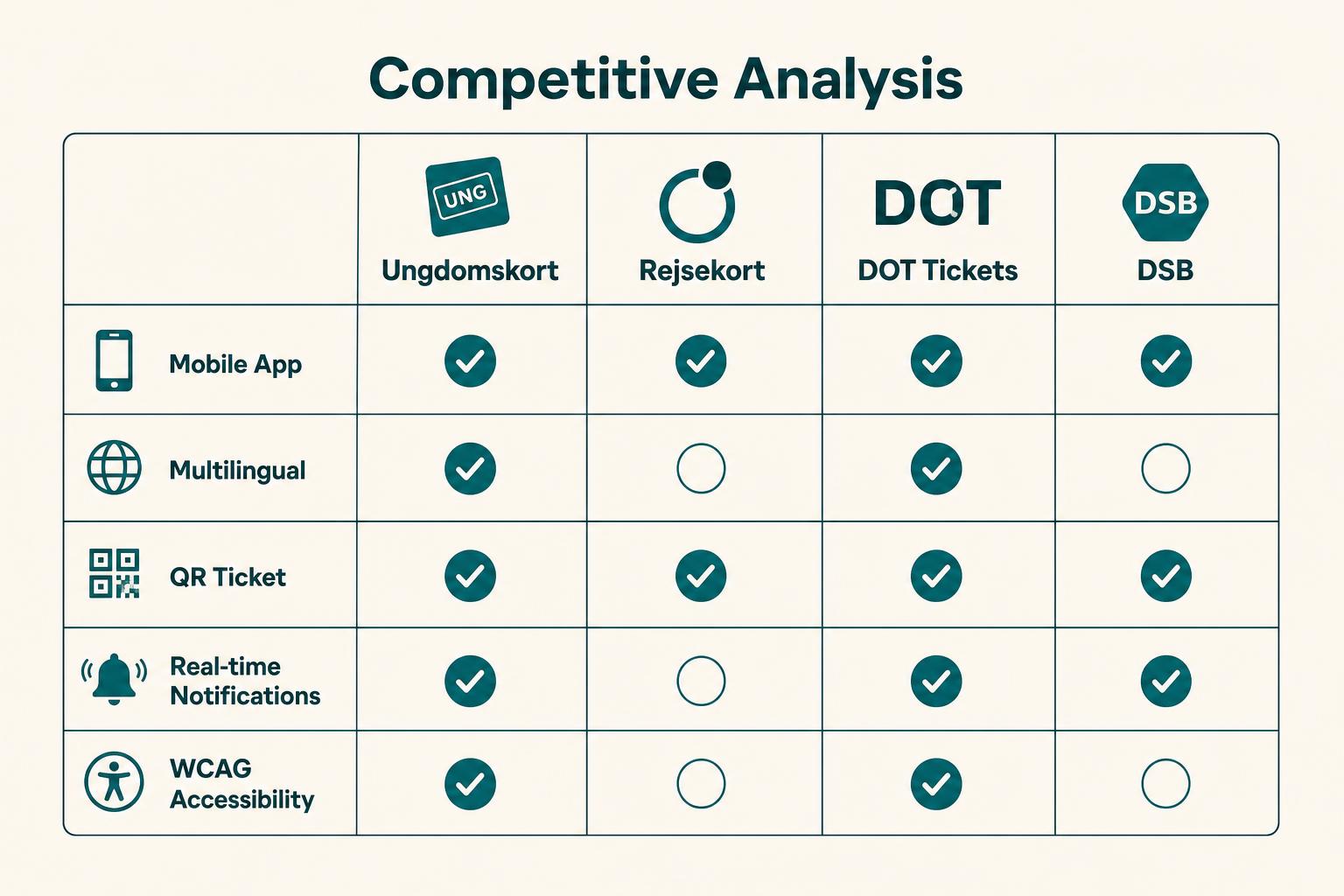
Heuristic evaluation of the live product, competitive analysis of Rejsekort, DSB and DOT Tickets, a quantitative survey, semi-structured interviews and moderated usability tests. Patterns emerged fast around payments, language and mobile.
Define
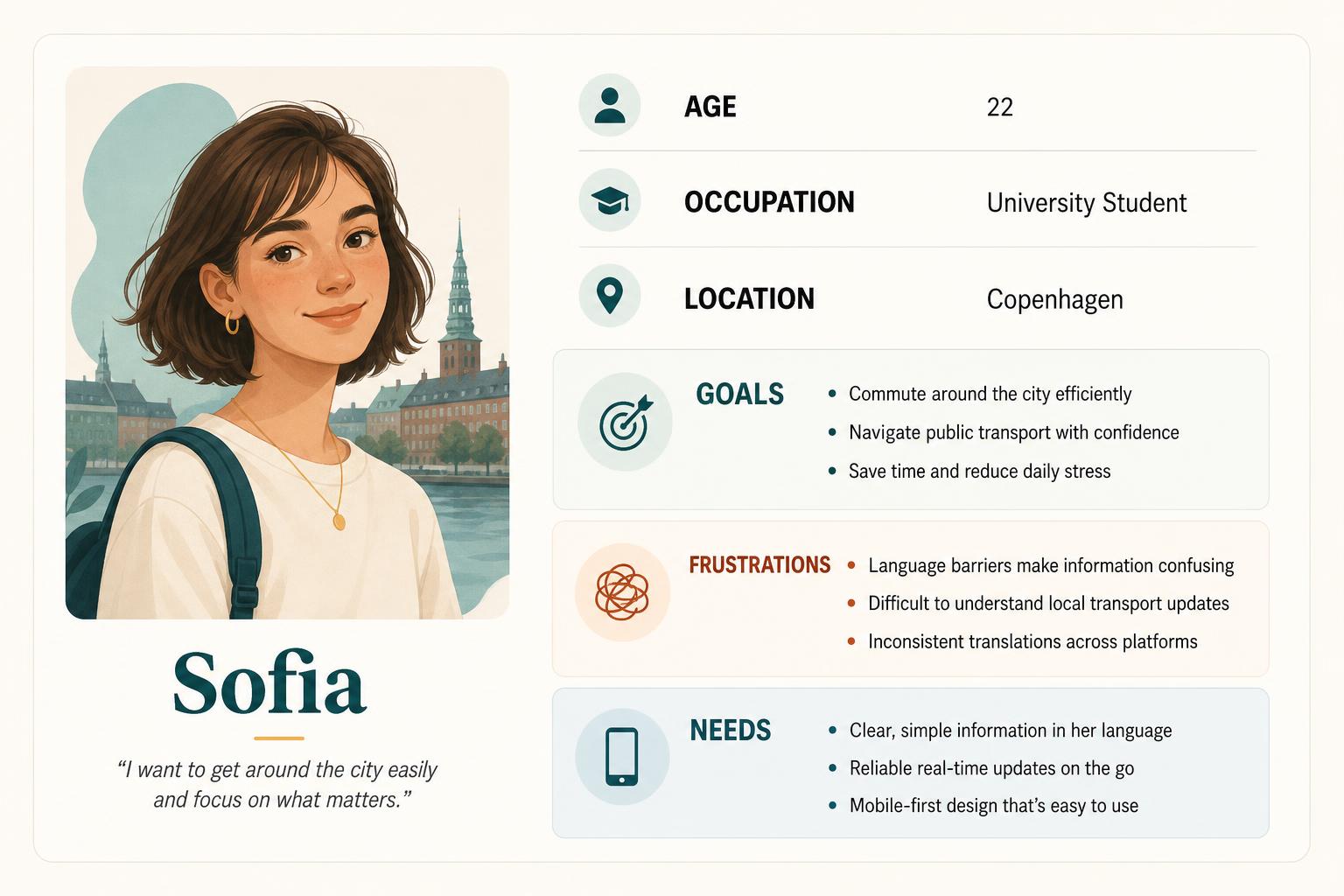
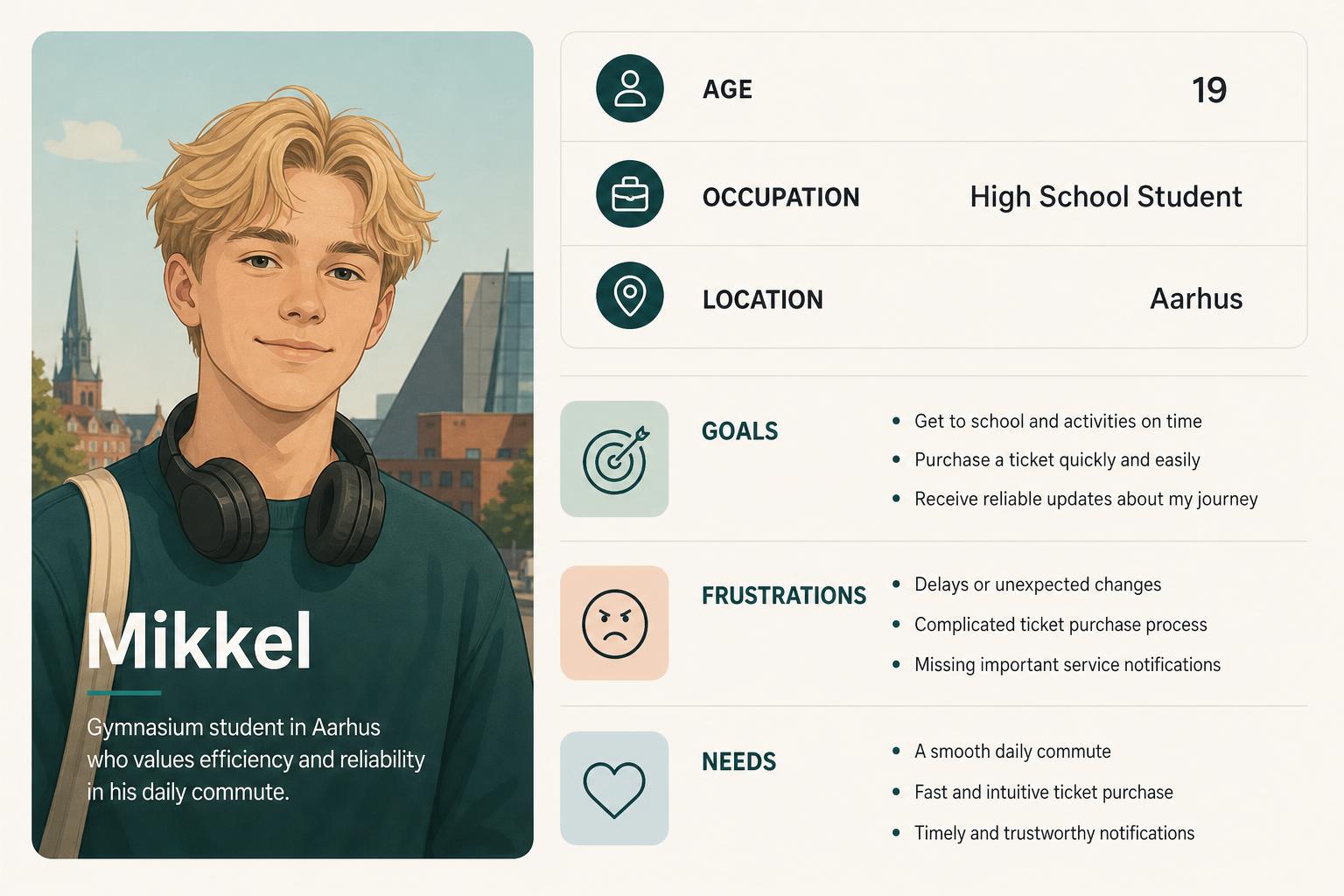
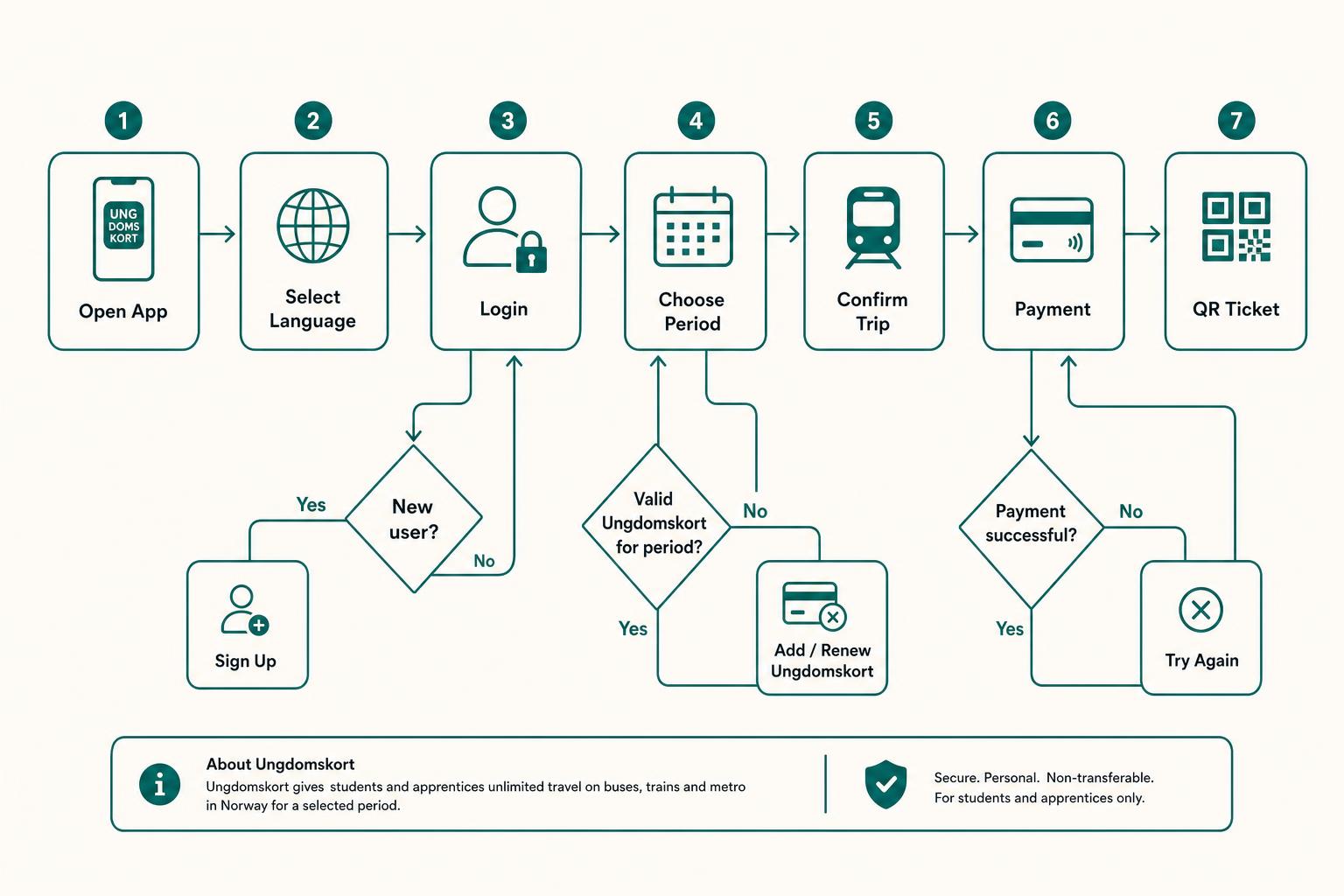
Research synthesised into two personas, problem/goal statements, a user flow and a user journey map. The design challenge crystallised: deliver one coherent experience across mobile and web, in multiple languages, accessible by default.
Prototype
Sketches → low-fidelity wireframes → high-fidelity prototypes in Figma for both app and web. A shared design system kept components, color, and type consistent across platforms.
Test
Task-based moderated sessions with 12 students, SUS scoring and think-aloud feedback. The second iteration measured a 34% improvement in task success and a 47% drop in time-on-task on the redesigned payment flow.
02 — Research
Listening before designing.
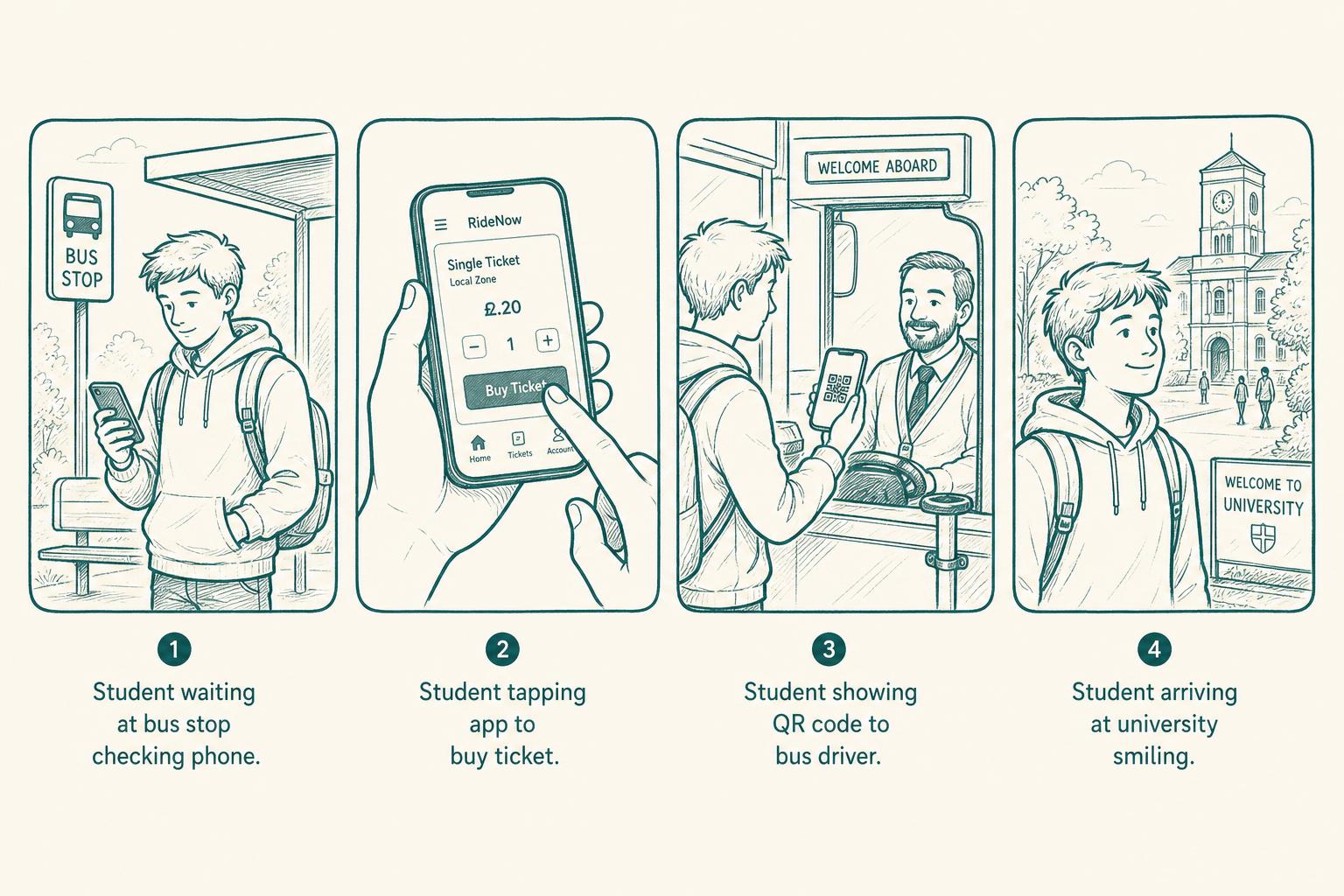
Competitive analysis benchmarked Ungdomskort against the major Danish transit products. Personas and statements captured who we were really designing for. A user flow and storyboards turned insight into structure.
Competitive Analysis
Personas
User Flow
Storyboards
03 — Wireframes
From sketch to structure.
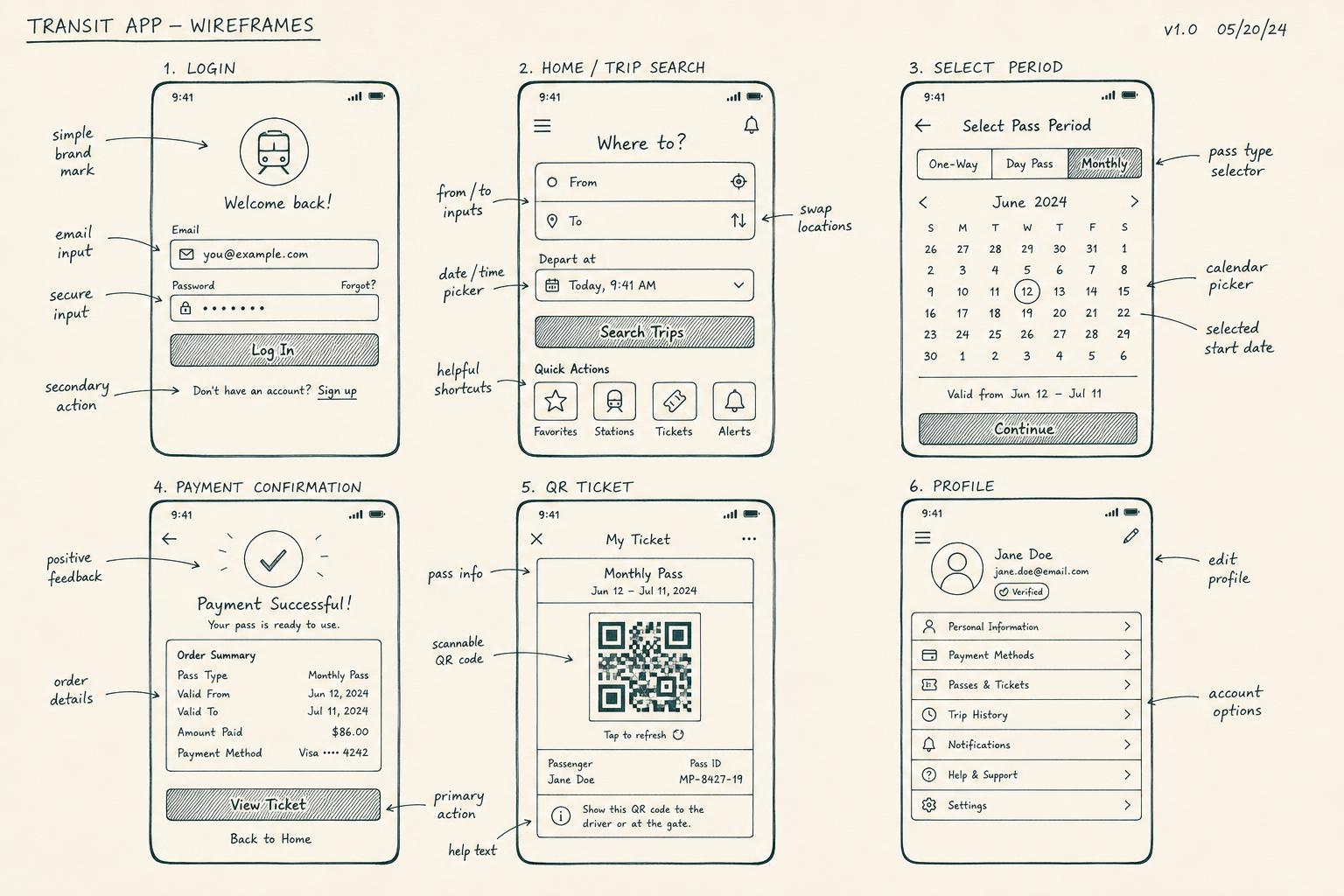
Annotated low-fidelity wireframes mapped the full app journey — login, trip search, period selection, payment, QR ticket and profile — before any pixel was painted. Catching layout issues here saved hours downstream.
04 — Design System
Consistent, scalable, accessible.
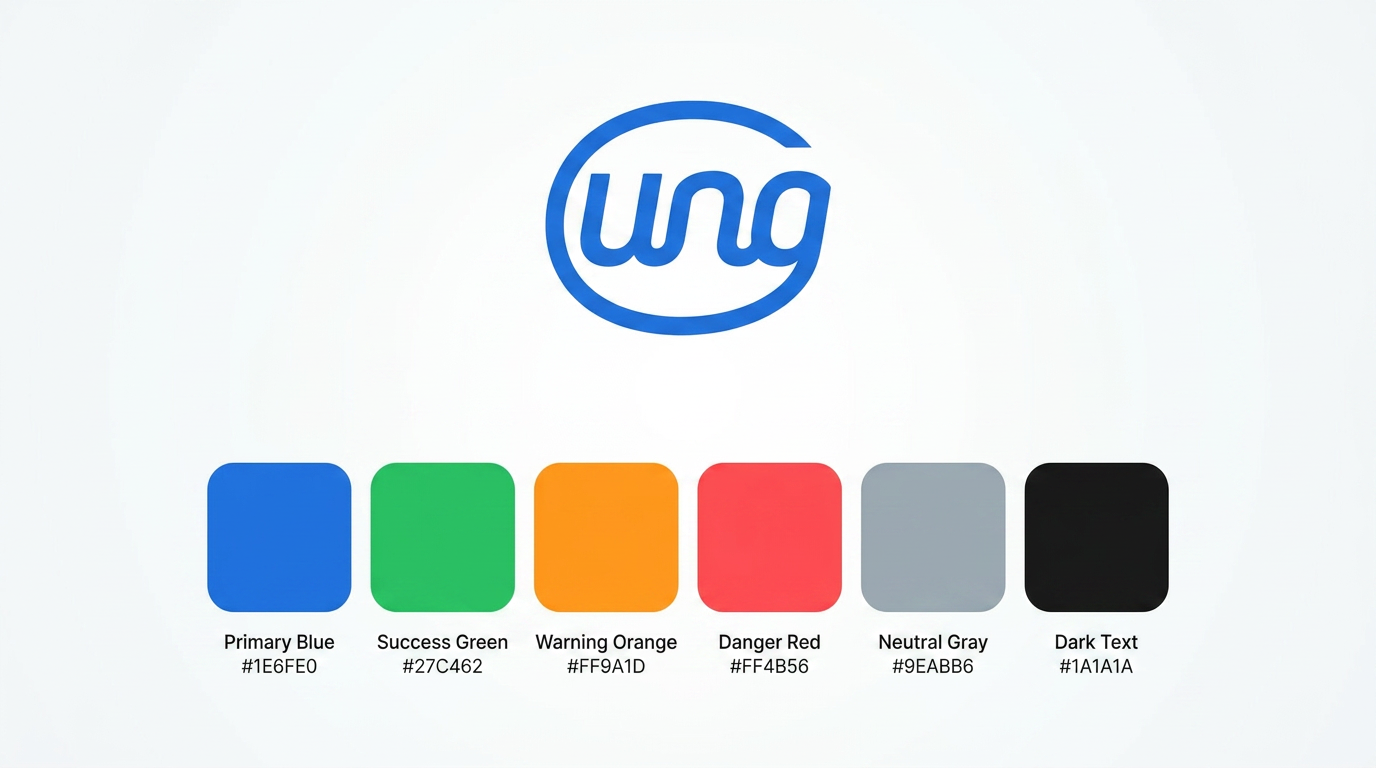
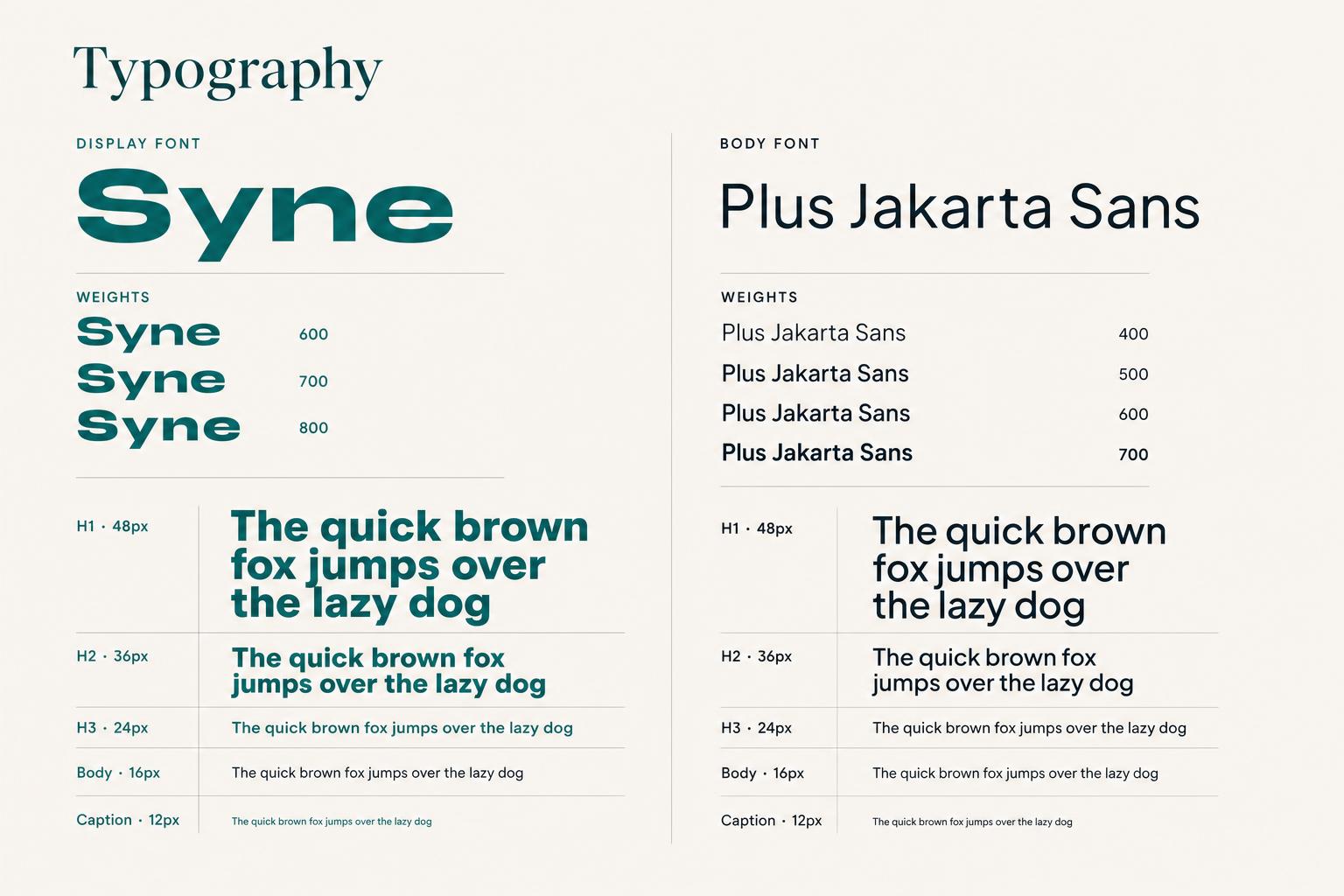
A small, strict design system shared between app and web. Built on the 60-30-10 color rule with a dual-typeface system and components designed for WCAG AA contrast and focus states from day one.
Colors
Typography
05 — High-Fidelity Screens · App
The mobile app, end to end.
From login and QR ticket to notifications and personal settings. Every screen built with the #0D6E6E primary teal, the shared component library and WCAG AA contrast.
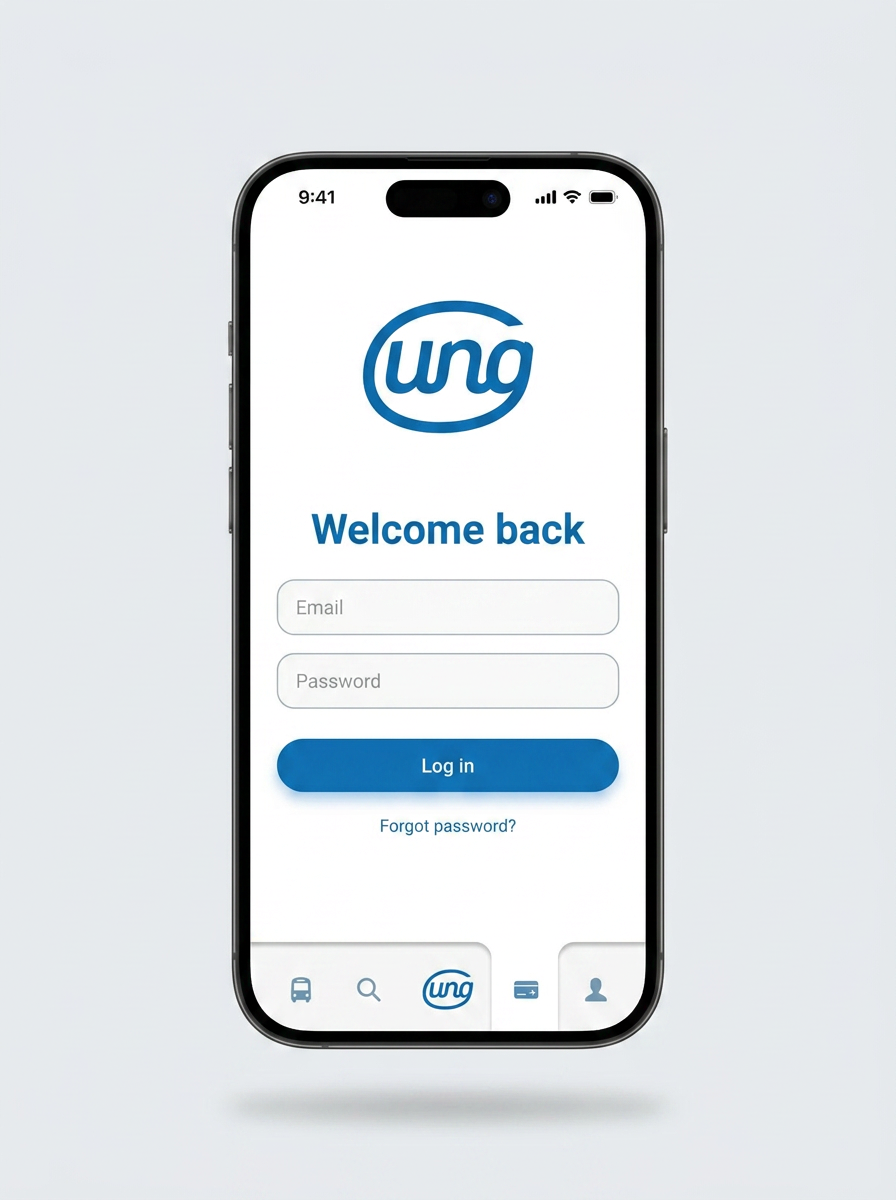
Login & QR Ticket
Quick sign-in and the active QR pass ready to scan.
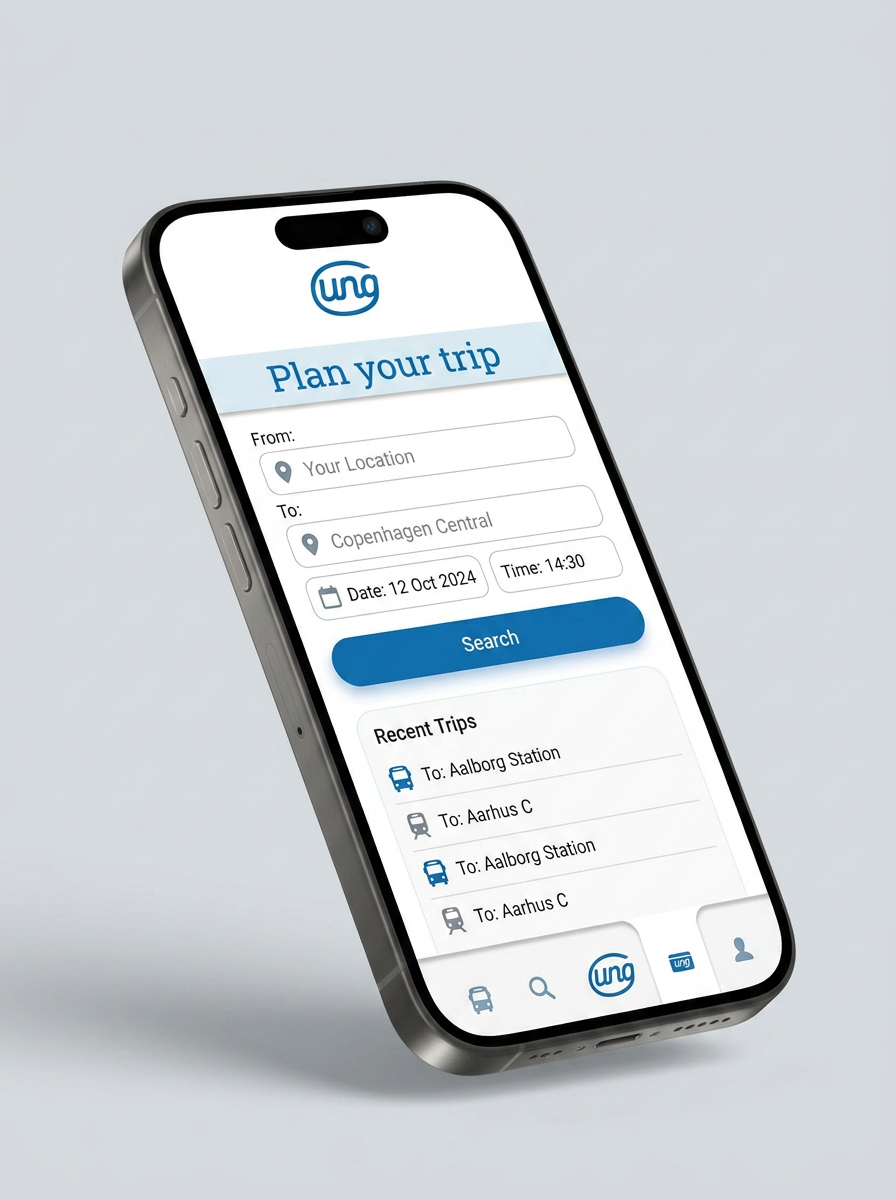
Search Trips
Find and buy a single trip in three taps.
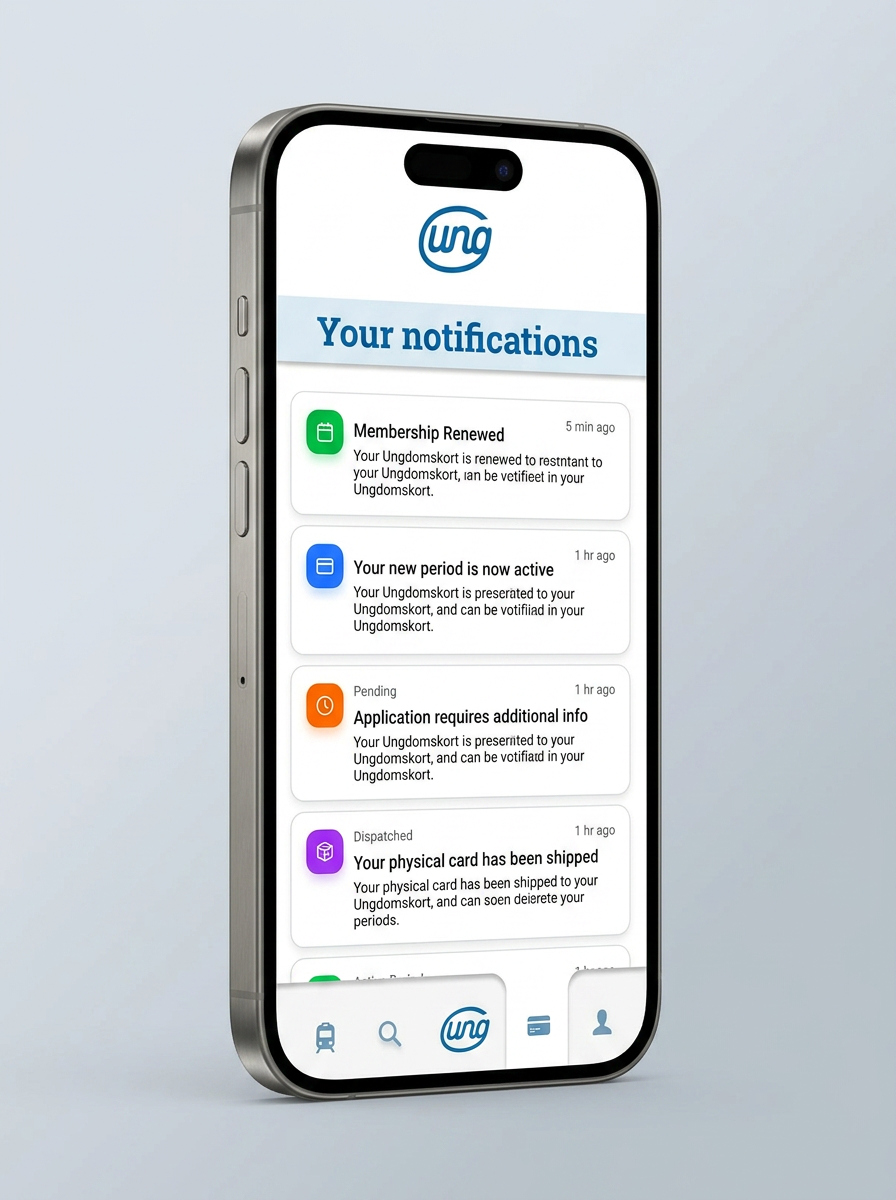
Notifications
Service updates and ticket reminders in one place.
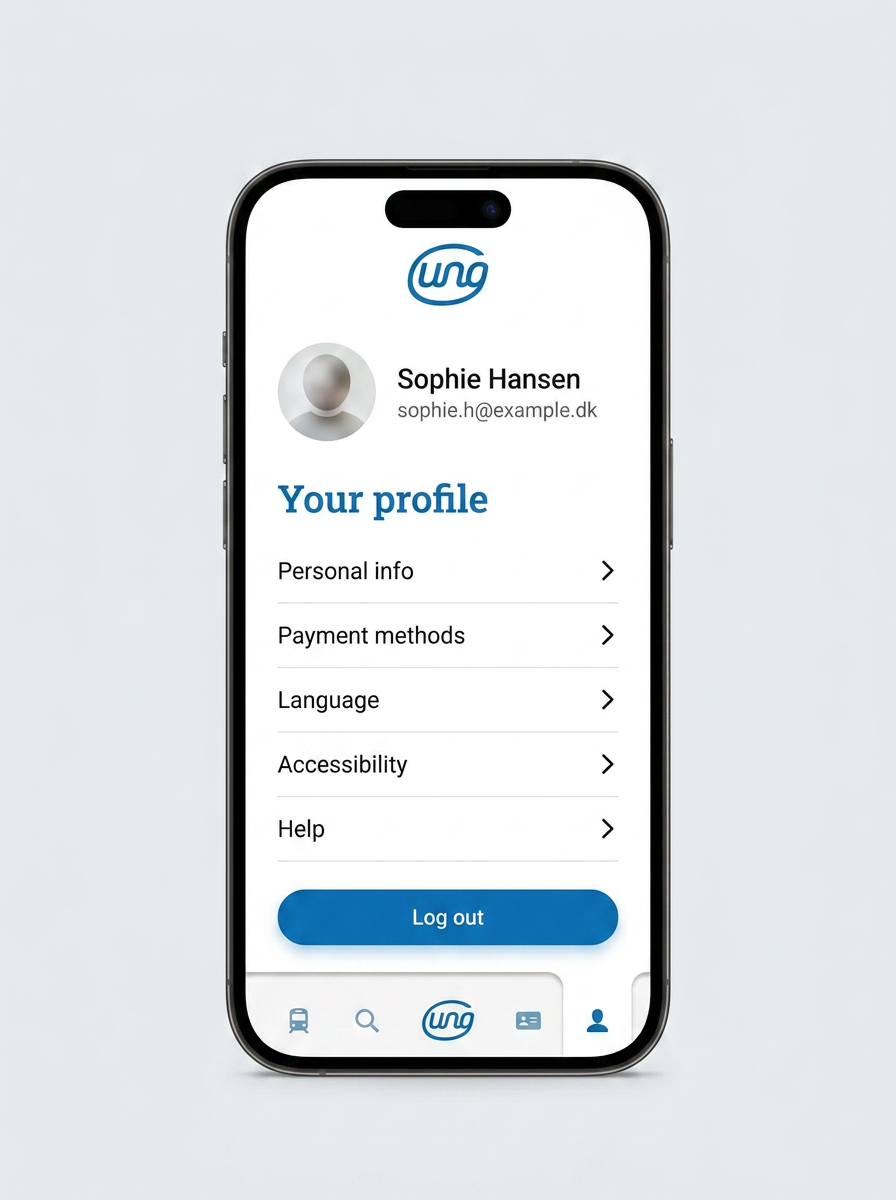
Profile & Settings
Personal data, payment methods and language preferences.
06 — High-Fidelity Screens · Web
A web app for setup, not noise.
The website handles tasks where a larger canvas helps — period management, document handling, longer messages. Same components, same tokens, fully responsive.
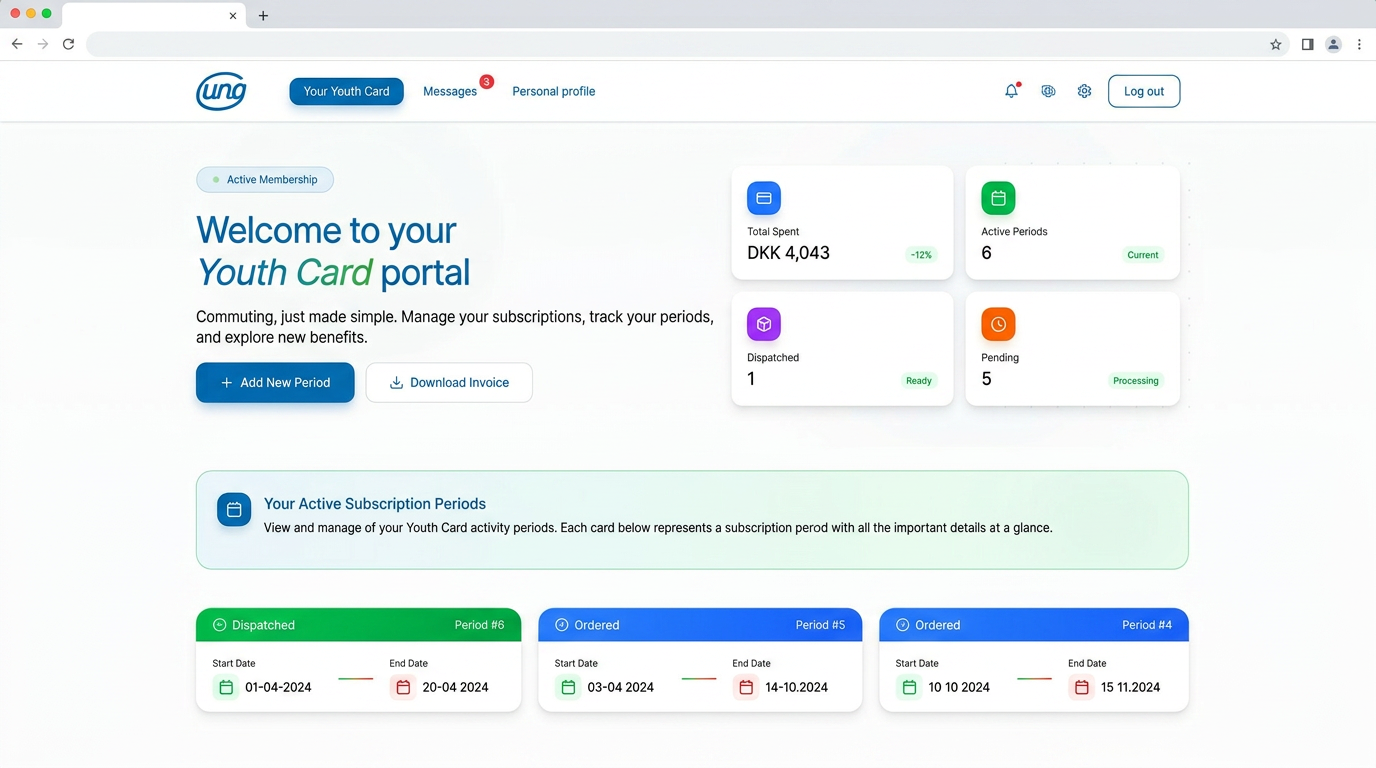
Your Youth Card
Card status, validity and quick actions at a glance.
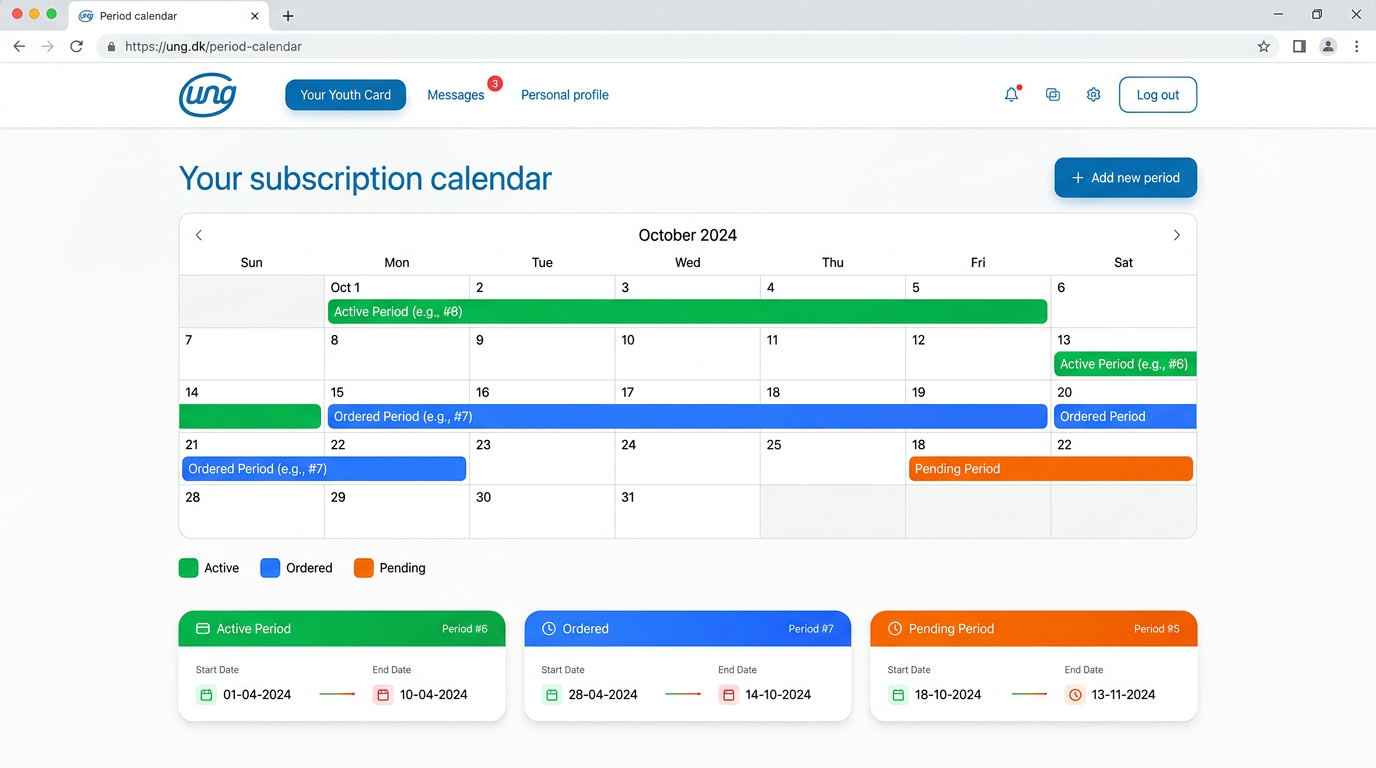
Period Calendar
Visual period picker with clear validity feedback.
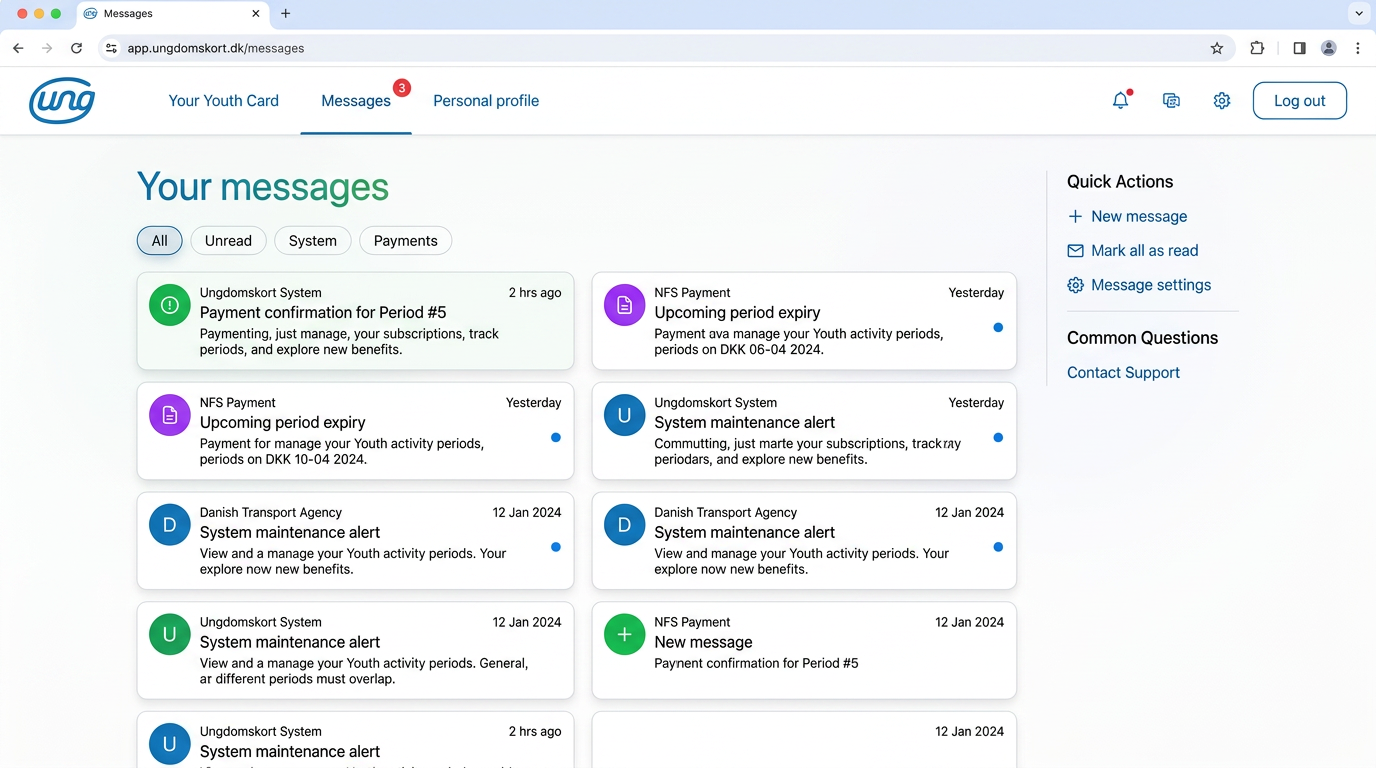
Messages
A focused inbox for service communications.
07 — Key Design Decisions
Why it works.
Multilingual by default
No hard-coded copy. Every string lives in a translation layer so Danish, English and beyond ship from day one.
Mobile-first payment
The full pay-and-go flow collapses to a single thumb-friendly screen, eliminating the multi-step drop-off seen in the legacy site.
Shared design system
App and web pull from one Figma library — components, color, type — so iterations during testing only touched instances, not screens.
WCAG AA built in
Color tokens were tuned for AA contrast before high-fidelity began. Focus states and form labels were part of the component spec, not an afterthought.
Teal brand identity
#0D6E6E was chosen for calm trust and clarity — readable on cream and white, distinct from the busy palettes of competing transit apps.
Clear period feedback
The calendar always tells users what they bought, when it starts and when it ends — eliminating the legacy site's most common support ticket.
08 — Learnings
What this project taught me.
The biggest lesson wasn't visual — it was structural. Research-first design cut a huge amount of debate in half: every UI decision had a user quote behind it, every interaction had a documented friction point it was solving.
Building a shared design system between app and web before high-fidelity was the second compounding win. After usability testing, the entire payment flow was iterated by swapping component instances — not rebuilding screens.
View prototype