XBit Museum App
A complete end-to-end UX/UI design for a museum mobile app — from user research and wireframing to a high-fidelity Figma prototype and usability testing. Completed as part of the Google UX Design Professional Certificate.
Role
UX/UI Designer
Project Type
Mobile App
Tool
Figma
Duration
6 Months
The Problem
Museum visitors struggled to browse exhibitions and book tickets in a unified experience. Existing solutions were fragmented — browsing happened on one platform, booking on another, and digital tickets were nowhere to be found. This created friction at every step of the visit journey.
The Solution
XBit is a museum companion app that unifies the full visitor experience: discover current and upcoming exhibitions, book tickets with an integrated calendar and payment flow, and store digital QR-code tickets — all in one coherent, accessible interface.
02 — Design Process
Five phases, one coherent product.
Following Google's Design Thinking framework from empathy through testing.
Empathize
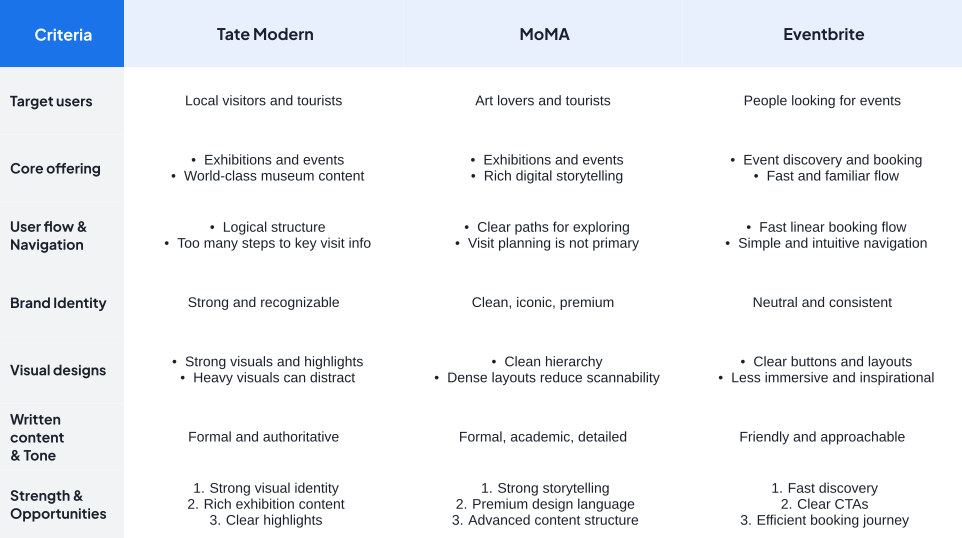
I conducted foundational UX research through competitive analysis and interview based insights to understand how users discover exhibitions and plan museum visits. The findings showed that visitors need more than inspiring content, they also need clear scheduling, availability, and practical information to feel confident before booking.
Define
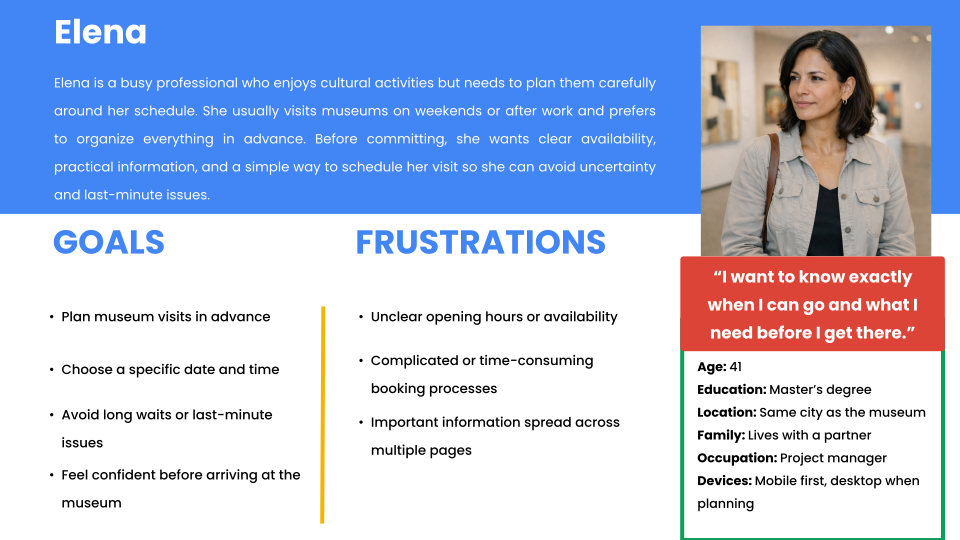
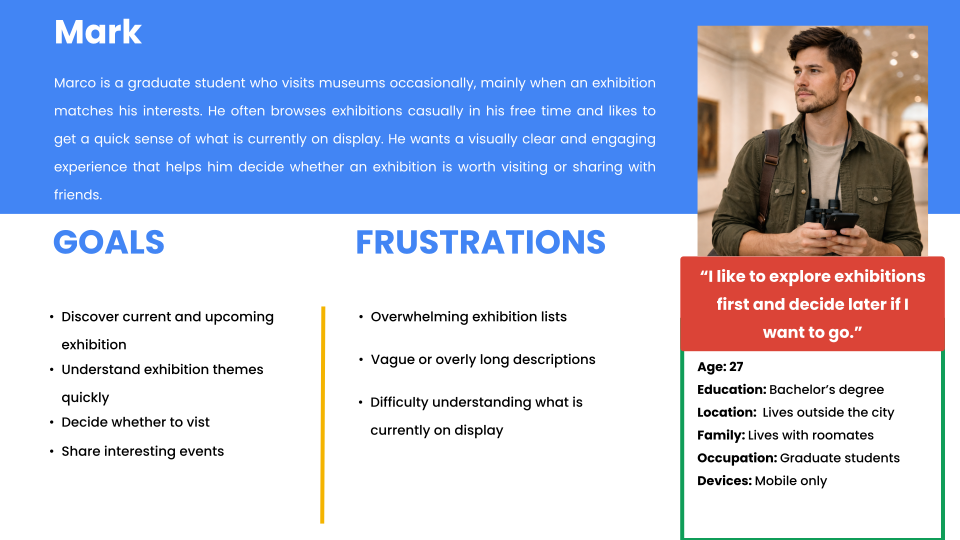
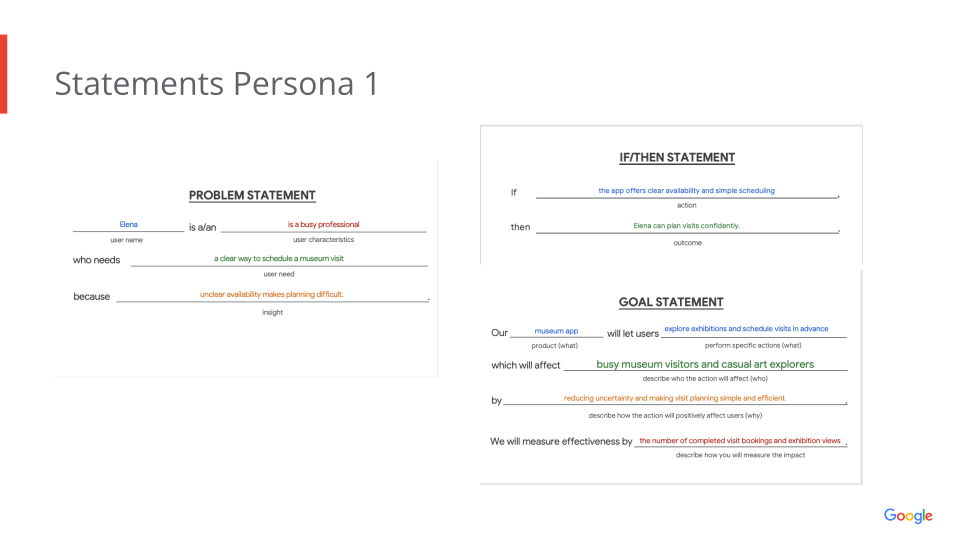
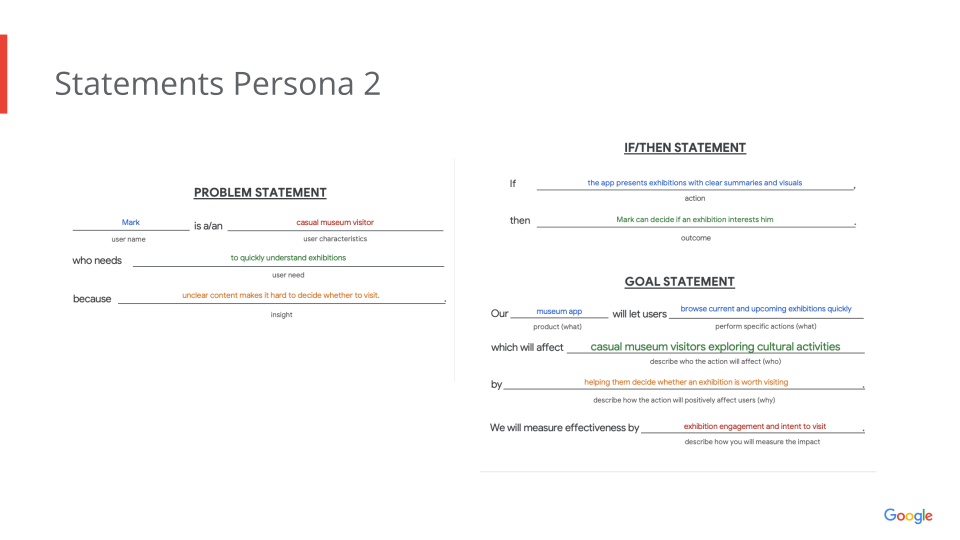
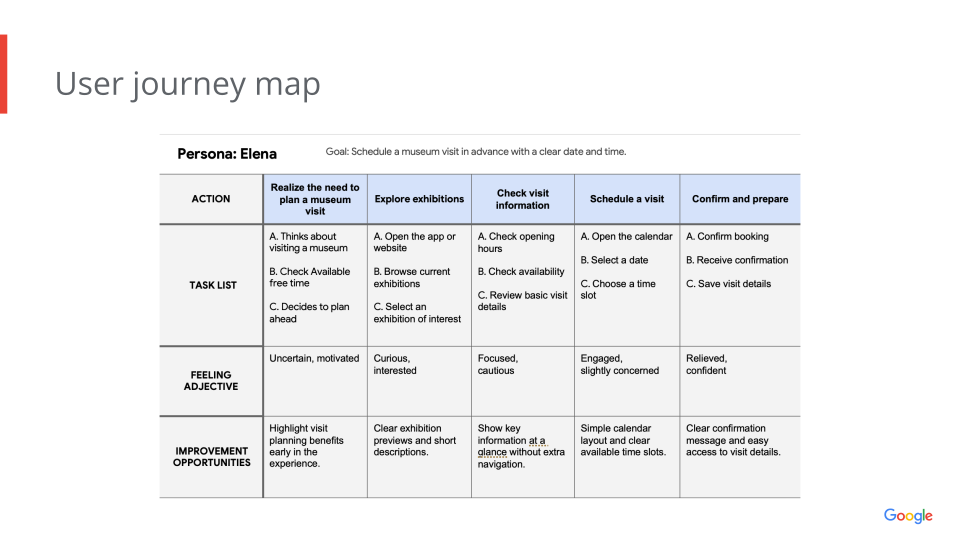
I synthesized the research into personas, problem statements, and a user journey map that clarified key user pain points. This helped define the design challenge as creating a simple and unified experience for exploring exhibitions and planning a visit without confusion or unnecessary steps.
Ideate
I explored multiple design directions through sketching and Crazy Eights, focusing on the core screens of the end to end journey. I then selected and refined the concepts that best supported intuitive navigation, readable content, and a smoother decision making process.
Prototype
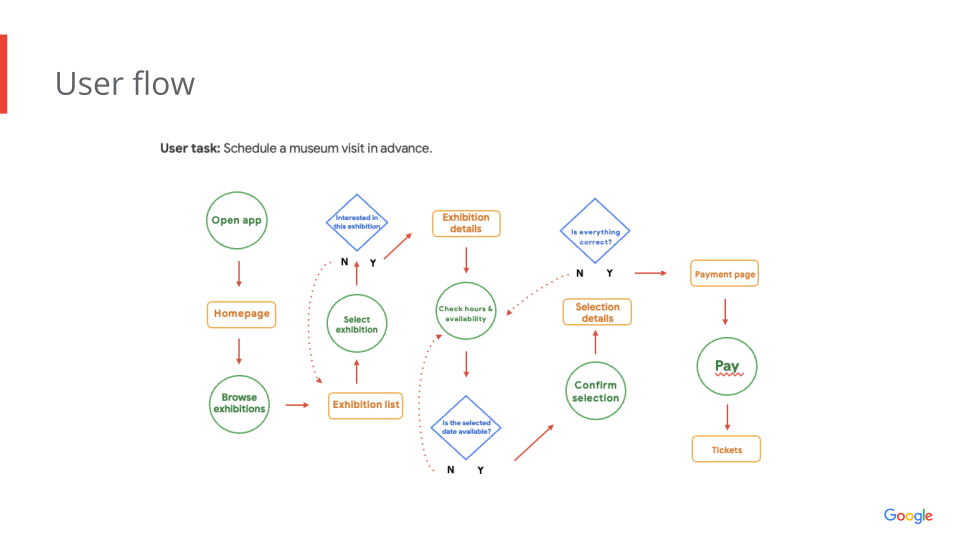
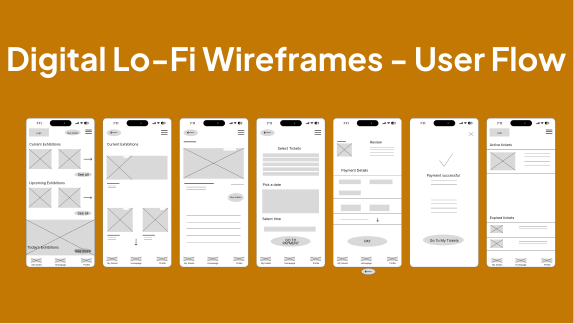
I created digital wireframes and a high fidelity prototype in Figma to bring the solution to life. The final prototype included a coherent visual language and a complete user flow from discovery to ticket access, designed to make museum visit planning feel simple and organized.
Test
I tested the prototype through moderated usability sessions to identify points of friction in the experience. The results informed iterations that improved clarity in the booking flow and strengthened the usability of the final design.
02 — User Research
Understanding the user.
In-depth research through interviews, competitive analysis, and persona development to uncover user needs and pain points.
Competitive Analysis
Personas
Problem & Goal Statements
User Flow
User Journey
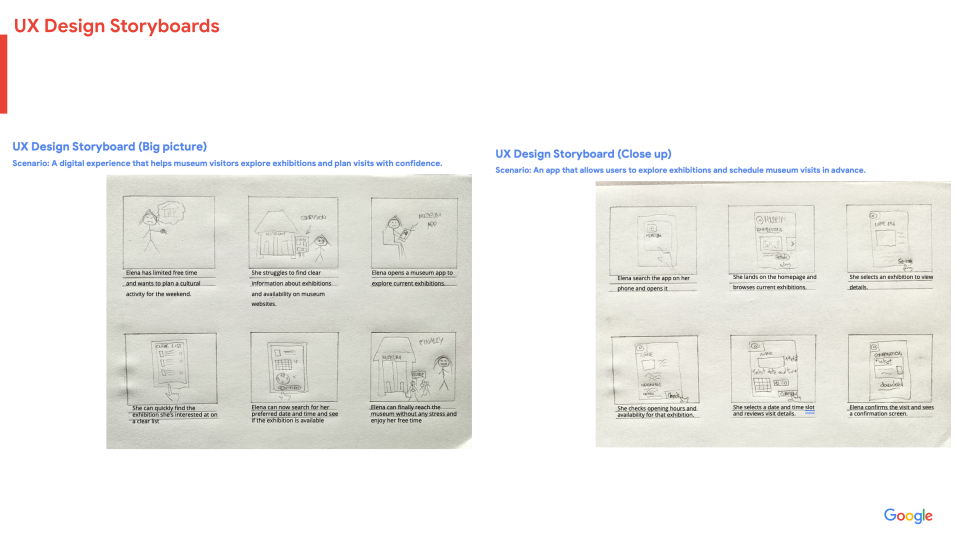
Storyboards
03 — Wireframes
From sketch to structure.
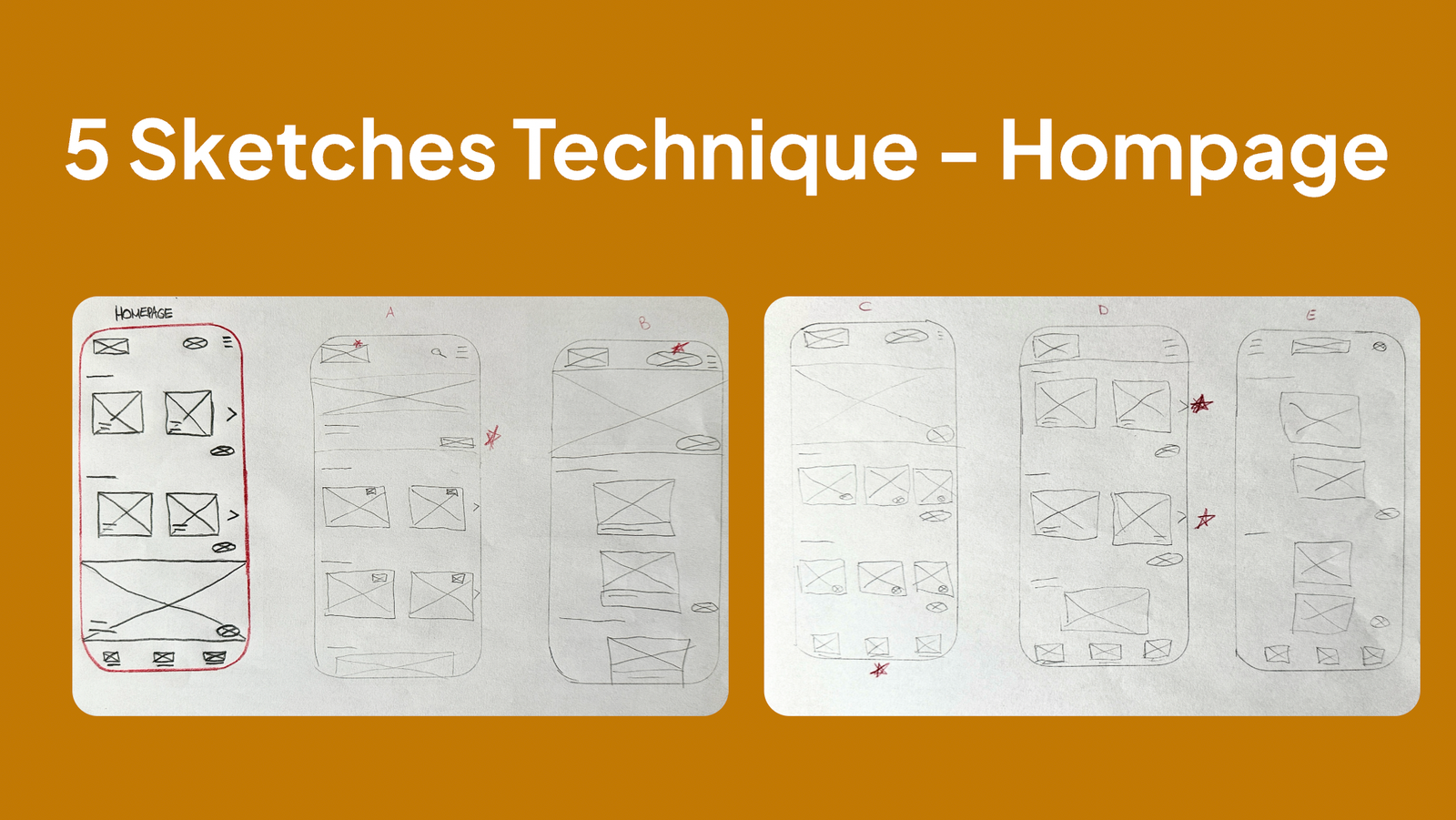
Five Sketches technique rapidly explored multiple layout directions for the homepage. The most navigable layout — with a persistent bottom tab bar and large card grids — was selected and refined into digital low-fidelity wireframes before moving to high fidelity.
04 — Design System
Consistent, scalable, accessible.
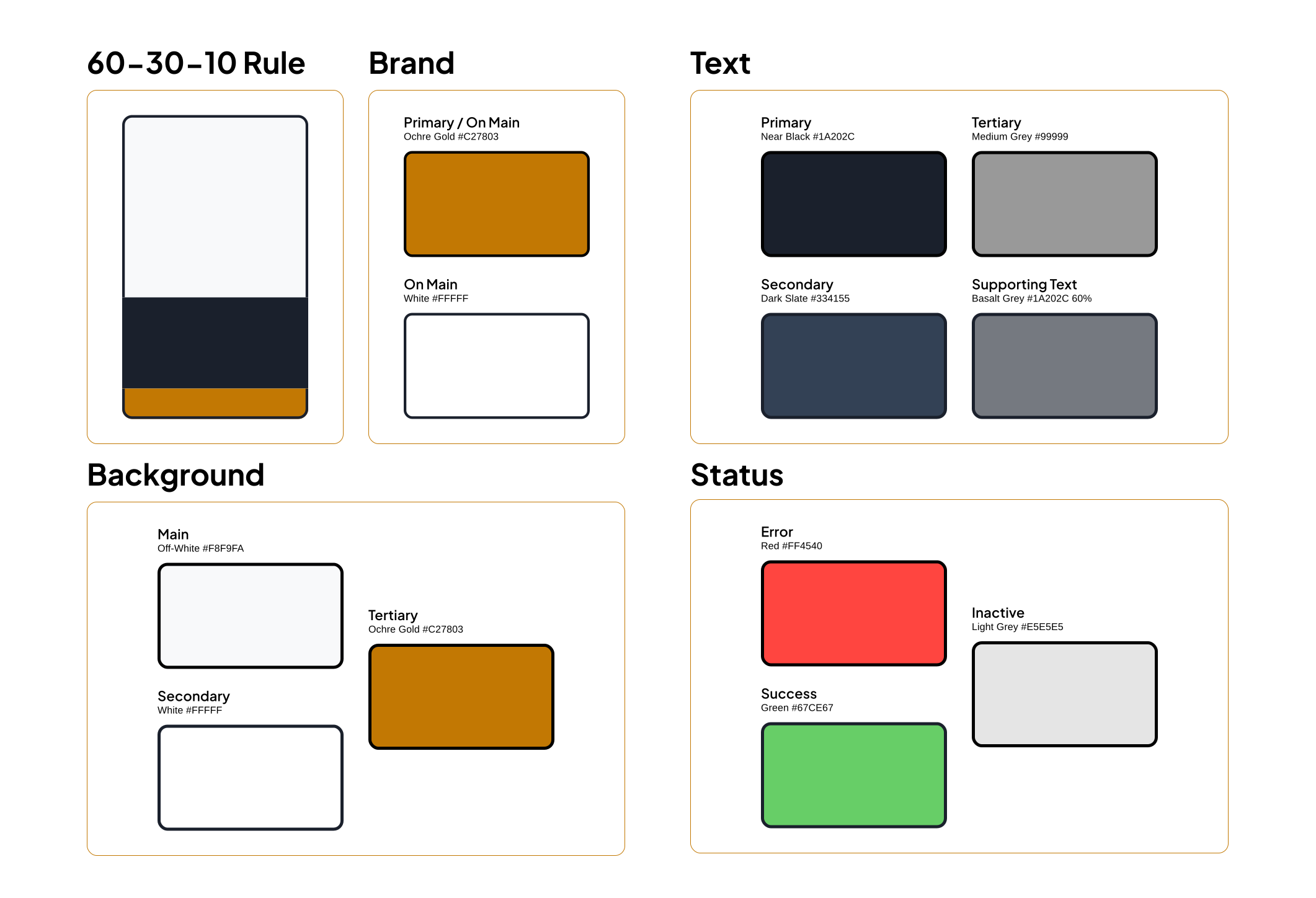
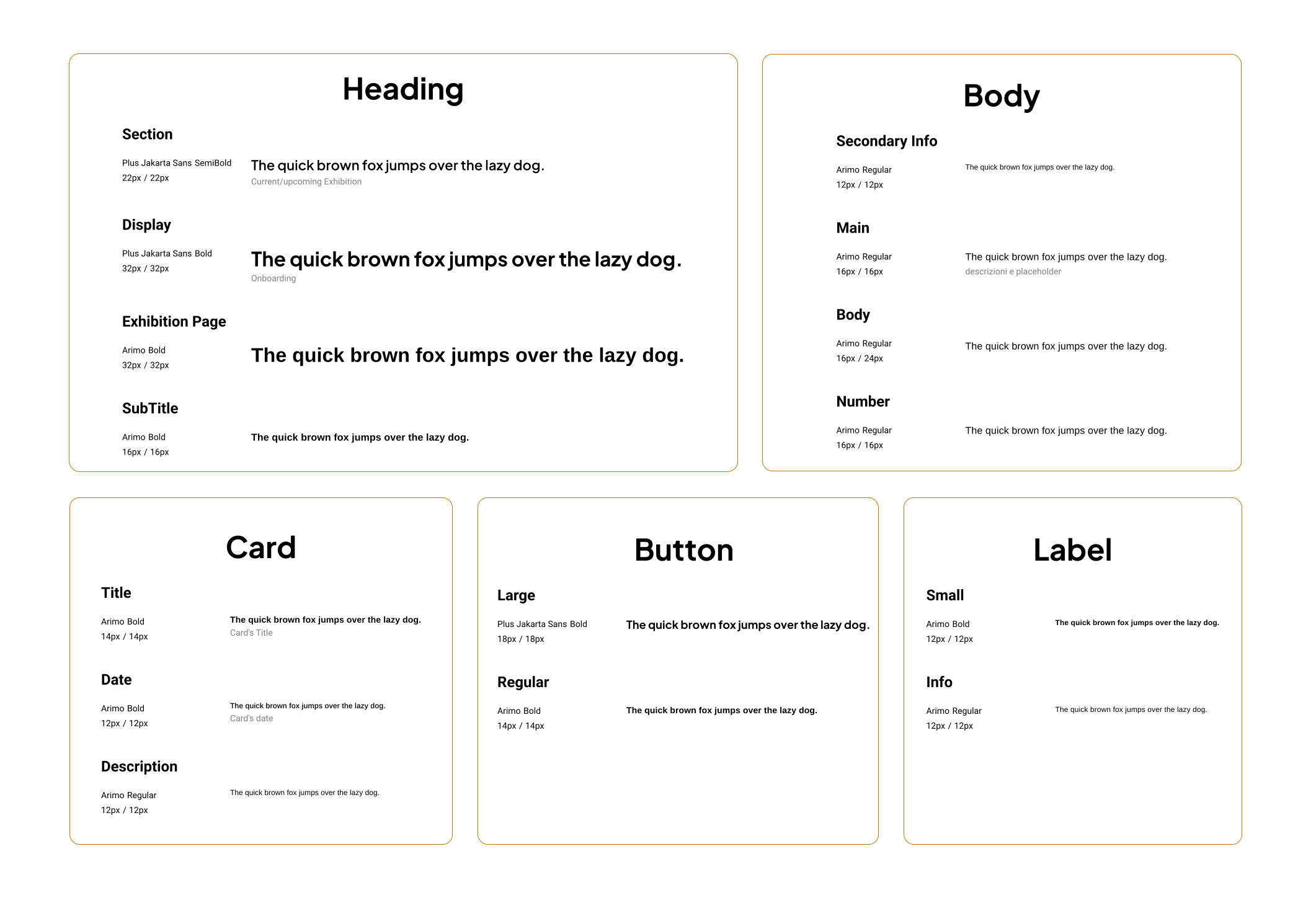
Built a complete component library in Figma using the 60-30-10 color rule, a dual typeface system, and reusable components for cards, buttons, navigation, and form inputs.
Colors
Typography
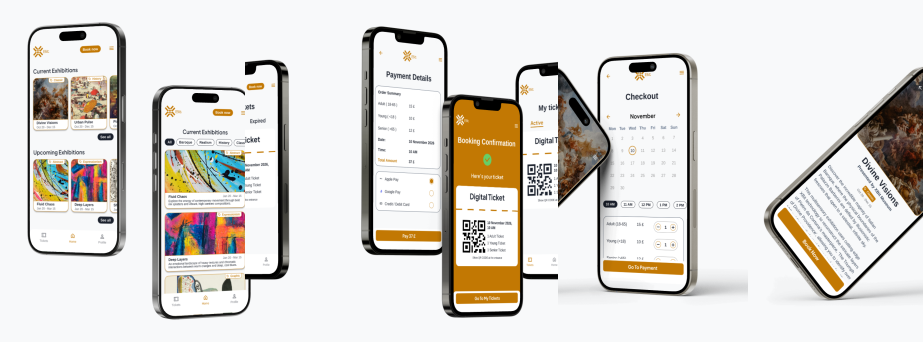
06 — High-Fidelity Screens
16+ screens, one seamless flow.
From the onboarding splash to the digital QR ticket, every screen was designed with the #C27803 warm amber brand identity, consistent component library, and WCAG accessibility guidelines in mind.
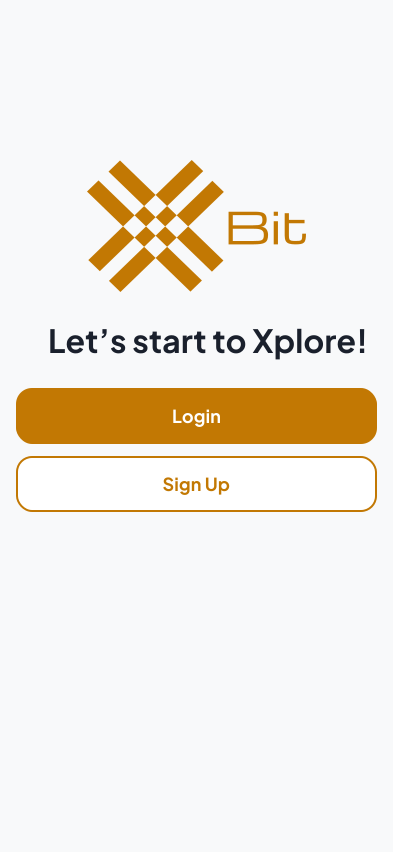
Onboarding
Login / Sign Up with email, Facebook, or Google.
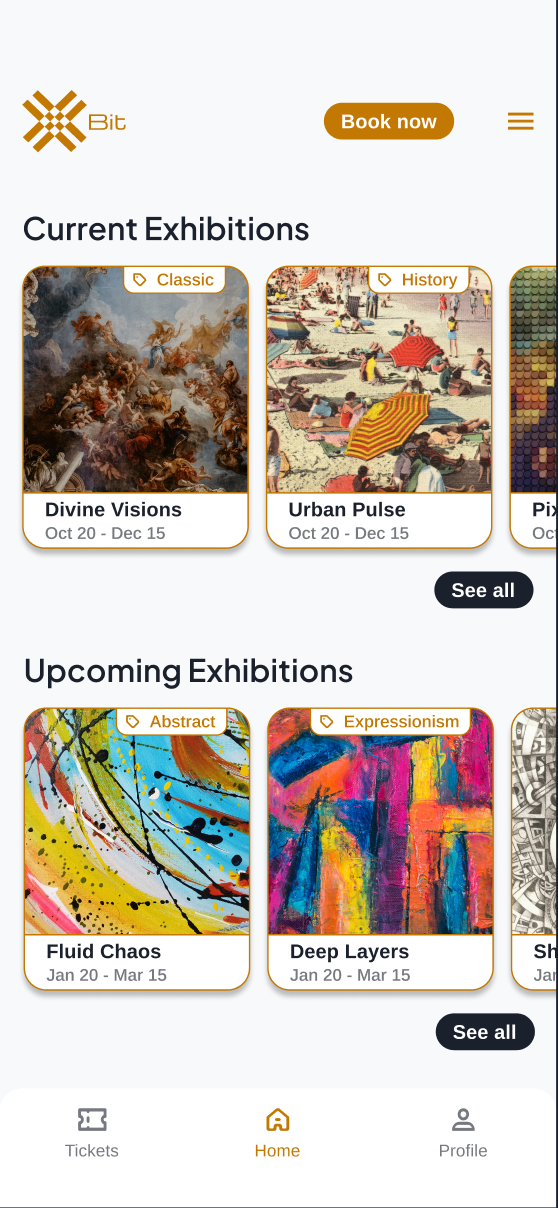
Home
Current and upcoming exhibitions in a scrollable card grid with category filters.
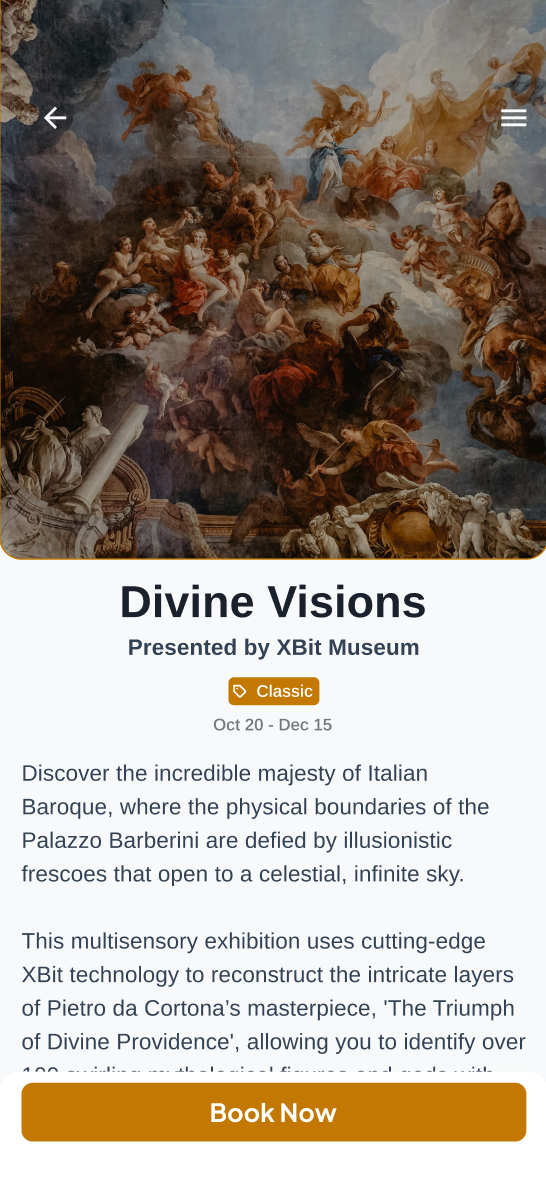
Exhibition Detail
Hero image, description, and multisensory experience tags (VR, AR, Spatial Audio).
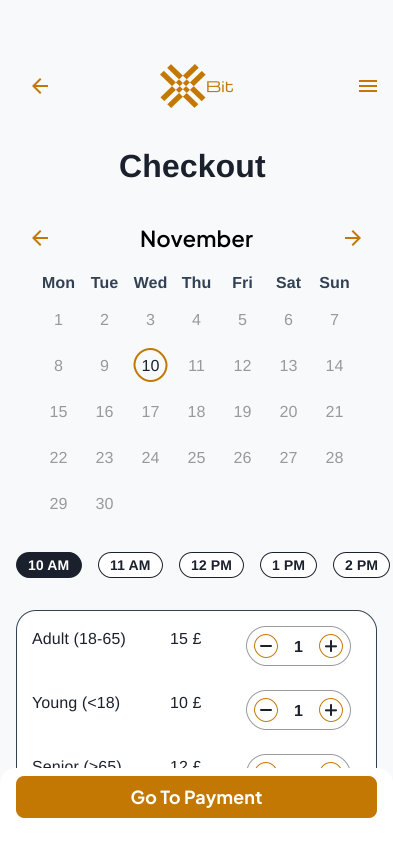
Checkout
Date picker, time slots, and ticket quantity selector — all on one screen.
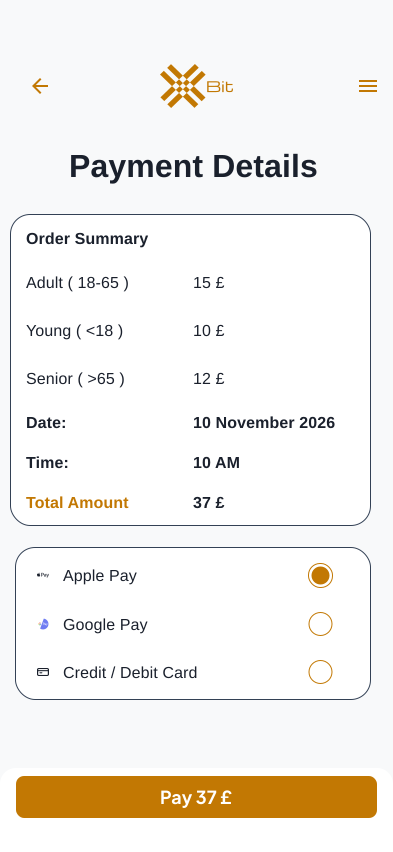
Payment
Order summary with Apple Pay, Google Pay, and card options.
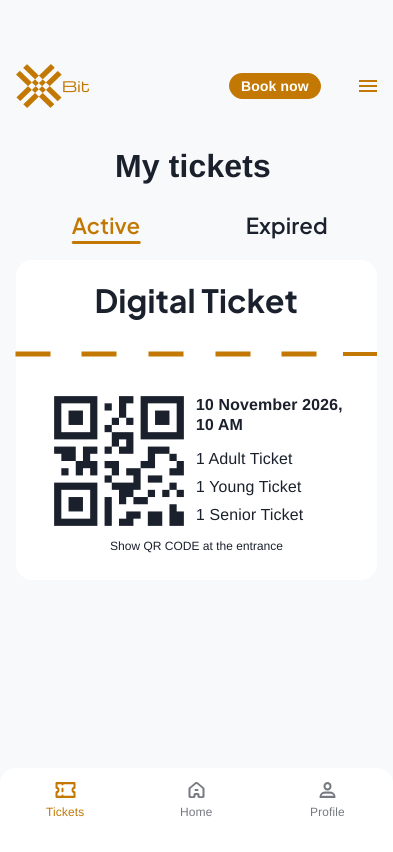
Digital Ticket
QR code ticket with booking details, stored under Active / Expired tabs.
07 — Key Design Decisions
Why it works.
Bottom tab bar
A persistent 3-tab bar (Tickets, Home, Profile) keeps core actions always accessible, reducing navigation depth to a maximum of 2 taps from any screen.
Unified checkout
Date, time, and ticket type are combined into a single Checkout screen — eliminating the multi-step flow found in competitor apps and reducing drop-off.
Category filters
Horizontal pill filters (Baroque, Realism, History, Classic...) on the Exhibitions screen allow quick content discovery without leaving the list view.
Amber brand identity
#C27803 warm amber was chosen to evoke warmth, cultural richness, and prestige — referencing museum aesthetics (gilded frames, gallery lighting) without feeling dated.
Error state design
Form validation (sign up, payment) uses inline error messages with red field outlines and an exclamation icon — providing immediate, localized feedback.
Digital ticket UX
Tickets are stored with an Active/Expired tab structure and a QR code prominently displayed — designed for quick scanning at museum entrances.
08 — Learnings
What this project taught me.
XBit was my first complete end-to-end UX project, and the most important lesson was the value of early, low-fidelity testing. I initially wanted to jump straight to high fidelity — but the paper wireframe phase surfaced layout issues that would have been costly to fix later.
Building a proper design system before high-fidelity screens also saved significant time. Establishing color tokens, text styles, and reusable components upfront meant that iterating on the checkout flow after usability testing only required changing component instances — not rebuilding screens.
View prototype